Choosing the Best Week Planner App for Your Schedule
Discover how the right week planner app can transform your productivity. This guide covers key features, practical benefits, and how to get started today.

Calendar0 Team
December 23, 2025

A modern week planner app is your personal command centre for time management. It goes way beyond a simple to-do list to help you proactively organise your entire week, pulling together work projects, personal appointments, and deep work into one intelligent, seamless view.
From Simple To-Do Lists to Intelligent Week Planners
Most of us have used—and outgrown—the simple to-do list app. They’re great for capturing stray tasks: buy milk, email the team, finish that report. But they're fundamentally reactive. You stare at the list and decide what to tackle next, which often leaves you feeling busy but not truly productive. You're just reacting to a static list, not intentionally designing your time.
A modern week planner app represents a complete shift in thinking. It’s not just a place to park your tasks; it's an active partner in orchestrating your time. Think of it as upgrading from a paper notepad to a strategic personal assistant who actually understands the big picture of your week.
The Core Difference: Proactive Planning
Instead of just listing what you need to do, a week planner helps you decide when and where each commitment actually fits. It gives you a bird's-eye view of your schedule, letting you see how that two-hour client meeting on Tuesday afternoon will impact your project deadline on Thursday. This context is everything when it comes to making smarter decisions about your time and energy.
The real goal is to stop reacting to the endless demands on your calendar and start proactively designing a week that aligns with your goals, both professional and personal. This simple switch is a game-changer for reducing mental clutter and improving focus.
This proactive approach has become essential for navigating the chaos of hybrid work. In Germany, for instance, a 2023 survey found that a staggering 68% of professionals now rely on digital planners weekly to manage their complex schedules. This is part of a much larger European productivity tools market, which hit a value of USD 1.1 billion in 2023. You can explore more data on the productivity app market to see just how fast it's growing.
To give you a clearer picture, here’s a quick breakdown of how week planners evolved from basic to-do lists.
To-Do List App vs. Week Planner App Key Differences
| Feature | Basic To-Do List App | Modern Week Planner App |
|---|---|---|
| Primary Function | Captures and lists tasks. | Schedules and visualises time. |
| Planning Approach | Reactive (what's next on the list?). | Proactive (when does this best fit?). |
| Time Context | No, tasks are just a list. | Yes, tasks are placed on a calendar. |
| Integration | Limited, often standalone. | High, syncs multiple calendars. |
| Goal | Task completion. | Effective time allocation. |
As you can see, it's a significant leap from just managing tasks to truly managing your time.
What Really Sets a Week Planner App Apart?
So, what elevates an app from a simple task manager to a powerhouse weekly planner? The magic is in a few key capabilities that work together to give you total command over your schedule. For a related tool focused on a shorter timeframe, you might want to check out our guide on finding the right daily planner app.
A proper week planner will almost always have features that:
- Integrate Multiple Calendars: It pulls your work, personal, and shared calendars into one unified view. This alone is huge for eliminating double-bookings and seeing the complete picture of your commitments.
- Visualise Time Blocks: It lays out your week visually, making it dead simple to spot open slots, identify potential conflicts, and carve out time for focused work.
- Automate Scheduling: Many modern planners use smarts to suggest the best times for meetings or tasks, saving you the painful back-and-forth of trying to coordinate with others manually.
- Protect Your Focus: They often let you block out "deep work" sessions and will automatically decline new meeting requests that land during those protected times. It’s like having a digital gatekeeper for your attention.
What Makes a Week Planner App Genuinely Useful?
Look, not all digital planners are the same. Plenty of apps can show you a calendar, but a truly effective week planner app has a few core features that work together to cut through the noise and sharpen your focus. These aren't just bells and whistles; they're the engine that turns a basic calendar into a productivity powerhouse.
Think of these features as specialists on your personal productivity team. Each one tackles a specific, all-too-common scheduling headache, helping you shift from just tracking appointments to actually designing your week with intention. Let's break down the non-negotiables you should be looking for.
This jump from simple lists to intelligent planners is a massive step up for anyone trying to get a real handle on their time.
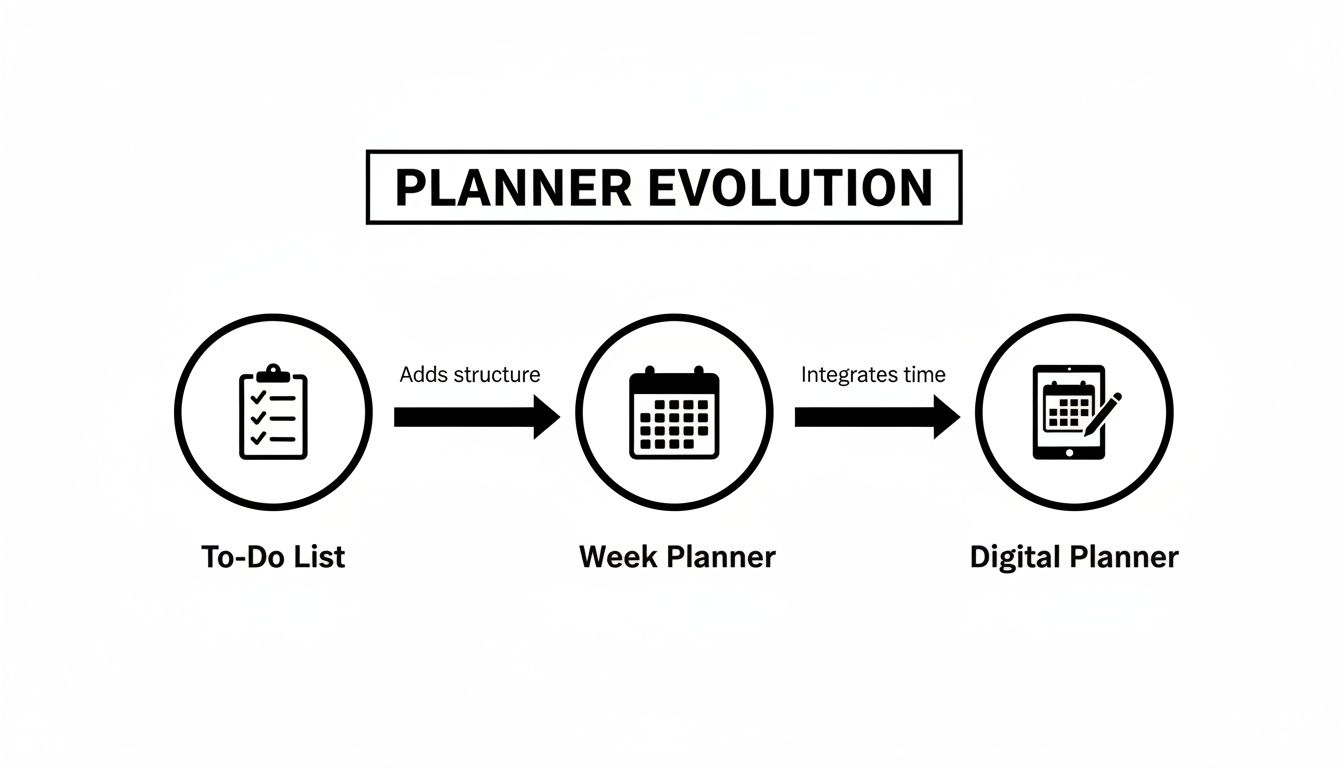
The graphic above really nails the evolution—from scribbled to-dos to a smart, unified system that works for you.
Multi-Calendar Synchronisation
First up, and this one's fundamental: multi-calendar synchronisation. Most of us are juggling at least two calendars—one for work (like Outlook or Google Workspace) and another for our personal lives (like a personal Google Calendar). Without one central place to see everything, you’re constantly flicking between apps. This fragmented view is a recipe for double-bookings and needless stress.
A great week planner app ends the chaos. It plugs into all your accounts and layers them into a single, unified view. Suddenly, your 9 AM project meeting, 2 PM dentist appointment, and 6 PM family dinner all live together in one place.
This single source of truth is the absolute foundation of solid weekly planning. It offloads the mental gymnastics of remembering what’s where, giving you an honest, at-a-glance picture of your actual availability.
This kind of seamless integration is a huge deal, especially when you consider that in a market like Germany, there are 75 million smartphone users—that's 89% of the population. For app developers, integrating smart reminders has been shown to boost user retention by as much as 35% in trials across cities like Berlin and Munich.
AI-Powered Scheduling
Once all your calendars are in one place, the next game-changer is AI-powered scheduling. Picture this: you need to find 45 minutes for a call with three colleagues next week. The old way involves a painful back-and-forth email chain, trying to align everyone’s free slots. It’s a total time-sink.
AI scheduling just gets rid of that. It acts like a brilliant assistant, instantly scanning everyone's calendars to find and suggest the best times that work for the whole group. What used to be a ten-minute admin chore becomes a ten-second task.
Natural Language Input
The most intuitive apps let you schedule things as fast as you can think them, and natural language input is what makes that happen. Instead of clicking through dates, times, and drop-down menus, you just type like you're talking to a person.
For instance, you could just type:
- "Schedule a project sync with Alex and Maria for 30 minutes next Tuesday afternoon."
- "Lunch with my mentor at 1 PM on Friday."
- "Block out 90 minutes for report writing tomorrow morning."
The app figures it all out—the people, the duration, the timing—checks for conflicts, and just creates the event. This kind of fluid interaction makes scheduling feel completely effortless.
Focus Time Integration
Finally, a top-tier week planner doesn't just manage your meetings; it actively defends your time for deep, meaningful work. Think of focus time integration as your personal gatekeeper.
You can proactively block out chunks of time for projects or tasks that need your full concentration. When you do, a smart planner will:
- Visibly block the time on your calendar so colleagues see you're busy.
- Automatically decline new meeting invites that land in your protected slots.
- Silence notifications during those periods to kill distractions.
This feature is crucial for preventing your week from dissolving into a mess of back-to-back meetings. It ensures you have the headspace you need to actually move the needle on your most important work. If you want to see what's out there, check out our guide on the best planning apps available today.
How Professionals Can Customise Their Planner
A great week planner app isn't a rigid rulebook; it's a versatile toolkit. Its real magic appears when you tweak it to fit the unique rhythm of your job. After all, a one-size-fits-all schedule is a myth—the daily battles of a team manager look nothing like those of a software engineer.
The trick is to pinpoint the features that solve your biggest time-management headaches and build your workflow around them. Let's dig into how different pros can adapt a week planner to conquer their specific scheduling hurdles, making it a true command centre for their week.

To show just how differently this can play out, let's look at the features that matter most to a few key roles.
Feature Spotlight for Different Professionals
| Professional Role | Most Valuable Feature | Primary Benefit |
|---|---|---|
| Manager | AI Scheduling Links | Eliminates endless back-and-forth emails to coordinate meetings with multiple people. |
| Software Engineer | Automatic Focus Time Defence | Protects large, uninterrupted blocks of time needed for complex problem-solving. |
| Executive Assistant | Multi-Calendar Sync | Provides a single, unified view to spot and prevent scheduling conflicts across different calendars. |
Each role pulls different levers within the app to achieve a common goal: gaining control over their time.
For the Manager Juggling People and Projects
Managers practically live in meetings. Between team stand-ups, one-on-ones, and strategy sessions, their calendar often looks like a chaotic game of Tetris. The goal here is to bring order to that chaos while carving out space for actual high-level thinking.
Here’s how a manager can set up their weekly planner:
- Use AI Scheduling Links: Create separate links for different meeting types, like a "30-Min Team Check-in" or a "60-Min Strategy Session." This cuts out the email tag when trying to get multiple people in the same virtual room.
- Colour-Code Your Calendar: Assign different colours to activities. Maybe blue for one-on-ones, green for project meetings, and red for urgent tasks. You get an instant visual read on how your week is balanced.
- Block Strategic Thinking Time: Proactively schedule two or three "No Meetings" blocks each week. A smart planner will automatically defend this time by declining invites, safeguarding your space to plan and reflect.
For a manager, a week planner app isn't just about booking appointments; it's about orchestrating team communication and making sure every meeting aligns with bigger goals. It turns the calendar from a reactive list into a proactive leadership tool.
For the Engineer Protecting Deep Work
For software engineers, uninterrupted focus is currency. A single poorly timed meeting can completely derail an afternoon of deep, complex problem-solving. Their main challenge is shielding those precious blocks of concentration from a never-ending stream of meeting invites.
An engineer-focused setup might look something like this:
- Schedule "Focus Time" First: Before the week even starts, block out two-to-three-hour chunks for "Deep Work" or "Coding." These are non-negotiable appointments with yourself.
- Set Strict Working Hours: Clearly define your availability in the app. A good planner will automatically decline any meeting requests that land outside these hours, helping you maintain a healthy work-life balance.
- Integrate Project Timelines: Connect your project management tool to see sprint deadlines right on your calendar. This helps you see instantly how meetings might be jeopardising your ability to ship code on time.
For the Executive Assistant Managing Chaos
Executive assistants are the ultimate calendar wranglers, often managing several complex schedules at once. Their success hinges on preventing conflicts, anticipating needs, and making sure their executive's day runs like clockwork. A week planner app is their central command post.
Customisation for an assistant is absolutely critical:
- Master Multi-Calendar Sync: This is non-negotiable. Connect and view the executive’s professional and personal calendars, plus any relevant team calendars, all in one unified display. It's the only way to spot potential clashes.
- Use Natural Language Input: Speed is everything. Quickly add events by typing things like, "Schedule Q3 review with the finance team for 90 minutes next Wednesday morning." The app does the heavy lifting, saving valuable minutes.
- Leverage Smart Notifications: Set up custom alerts for key meetings. This ensures the executive gets the join link and briefing documents exactly when they need them—not a minute too soon or too late.
Beyond just customising the app, many professionals find it helpful to integrate other advanced tools into their workflow. For example, you can find great resources on powerful ChatGPT prompts for project management. By tailoring your planner, you stop simply tracking time and start designing a week that truly works for you.
Alright, let's get you set up and see some real wins in under 30 minutes. Moving from a messy calendar to a genuinely organised workflow is way easier than it looks. This is about building momentum from day one.
The goal here isn't perfection; it's about proving to yourself just how quickly you can create a more deliberate, less reactive planning habit.
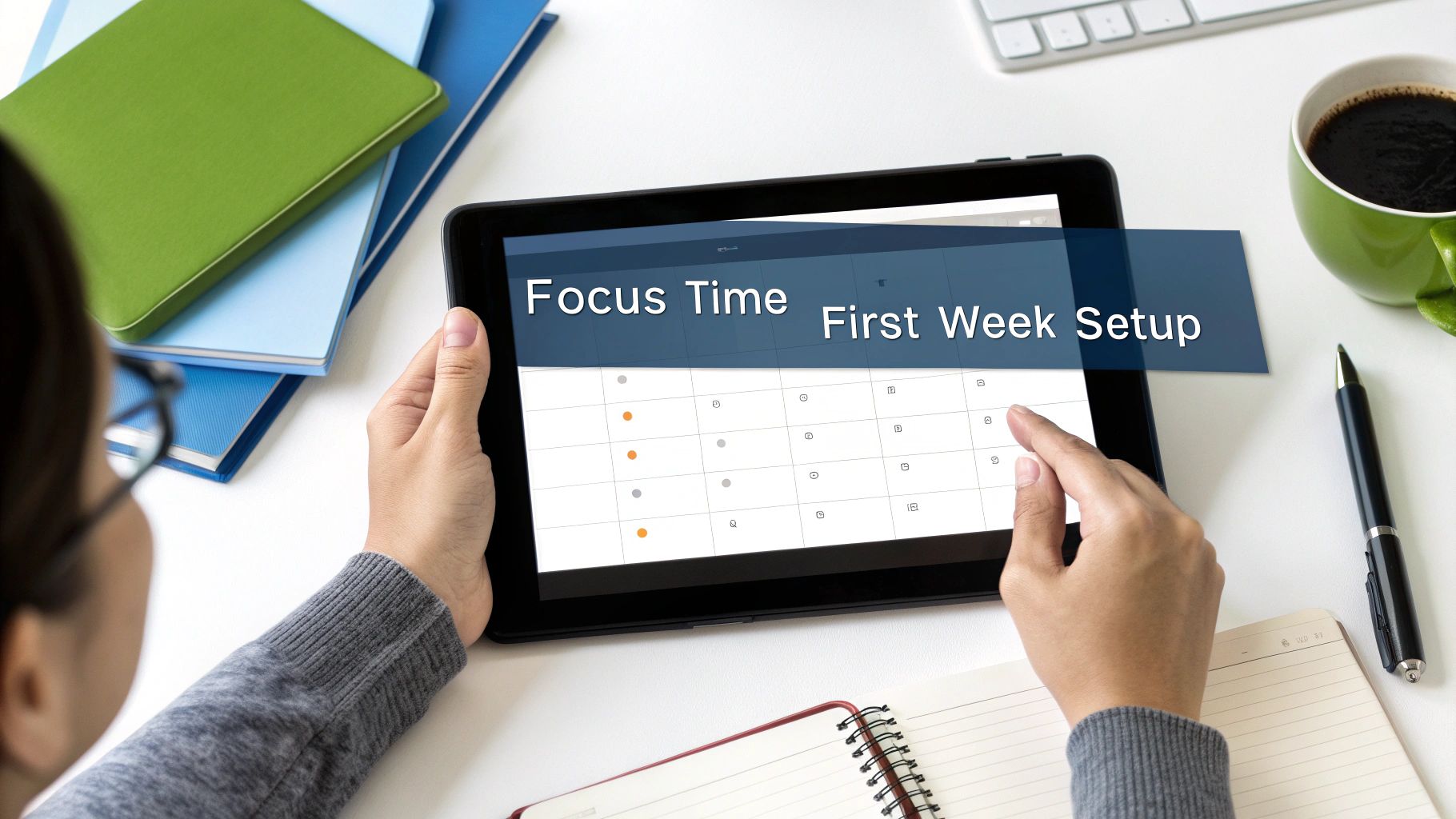
Step 1: Connect All Your Calendars
First things first, let's create a single source of truth for your time. Most of us are juggling at least two or three calendars—one for work, one for our personal lives, and maybe another for a side hustle. A solid week planner app, like Calendar0, pulls them all into one view.
Jump into the settings and hook up every calendar you use: Google Workspace, Microsoft 365, your personal Gmail, everything. This simple step instantly kills the risk of double-booking yourself and gives you an honest look at your actual availability. No more forgetting about that dentist appointment when a client asks for a call.
Step 2: Define Your Core Availability
Next up, you need to teach the app your rules. Think of it as programming your ideal week—setting your working hours and preferences so the app can make smart decisions for you. This is where you lay down your non-negotiables.
- Set Working Hours: Define your typical start and end times for each day. This is the baseline for when you're open for business.
- Buffer Times: I always recommend adding automatic buffers. A 10-minute cushion before and after meetings gives you just enough time to grab a coffee or mentally switch gears for the next call. It's a game-changer.
- Meeting Limits: Decide the maximum number of meetings you're willing to take in a single day. This is your defence against burnout.
These settings are what power the app's intelligent scheduling. By defining your ideal structure upfront, you’re basically telling your digital assistant how to guard your time and energy.
Step 3: Schedule with Natural Language
Now for the fun part. Let's add your first few events using plain English. Instead of fumbling with menus and dropdowns, just type what you want to do. It’s incredibly fast and feels like delegating to an actual assistant.
Give a few of these a try:
- "Schedule a 45-minute project sync with the marketing team for Thursday at 2pm."
- "Block 90 minutes for report writing tomorrow morning."
- "Lunch with David at my usual spot on Friday."
The app should instantly parse the details, check for conflicts across all your connected calendars, and slot the event in. This is the kind of seamless interaction that makes a modern planner so much more than just a digital grid.
Step 4: Block Your First Focus Time
Finally, it’s time to protect your most valuable resource: your attention. Go ahead and proactively block out your first Focus Time session. This is an unbreakable appointment with yourself for deep, meaningful work.
Schedule a two-hour block for "Deep Work on Q3 Strategy" later this week. A smart planner will automatically defend this time, declining any new meeting invites that try to creep into that protected window.
This single action shifts your mindset from being a victim of your calendar to being the architect of your week. It's a powerful first step toward reclaiming control over your productivity and reducing daily stress.
And this need for digital organisation isn't just for seasoned professionals. It's becoming standard practice everywhere. In fact, a recent study showed 42% of German students aged 18-24 now use weekly planner apps for their studies. That's a huge jump from just 28% in 2020, driven largely by university mandates for digital tools as remote learning enrolment climbed by 15%. You can dig into more insights about the daily planner app market and its growth.
What About Privacy, Security, and Pricing?
Let's be honest, handing over your entire schedule to an app requires a huge amount of trust. It's not just a list of appointments; it’s packed with confidential meeting notes, personal events, and private details. Beyond the flashy features and clever AI, you have to know your data is safe and that you're getting real value for your money.
A great app should treat your privacy as a core feature, not an afterthought.
Is My Data Actually Secure?
When you’re looking at a week planner, data security has to be priority number one. Look for tools that offer end-to-end encryption. Think of it as sending a sealed letter that only you and the recipient can open. It's the gold standard for keeping prying eyes out of your business.
Next, take a few minutes to actually read the privacy policy. I know, it’s tedious, but this document tells you exactly what data they collect and, more importantly, what they do with it. Pay close attention to how they handle data protection rules. If you're in Europe, that means strict adherence to GDPR.
Germany’s tough stance on GDPR compliance has earned a 92% consumer trust rating in how apps handle data, which is even higher than the EU average of 85%. This trust is a massive reason why digital planning tools have taken off there.
A transparent policy is a great sign that a company takes your privacy seriously. If you want to go a bit deeper on this, we've covered what makes a truly secure task manager before.
Making Sense of the Price Tag
Once you feel good about security, it’s time to talk money. Most week planner apps use one of a few common pricing models, and each has its pros and cons.
- Freemium: You get a basic, free version to kick the tyres, with an option to upgrade for more powerful features. It’s a great way to try before you buy.
- Subscription (Monthly/Annual): You pay a recurring fee for full access to everything, including ongoing updates and support. This is the standard for most software-as-a-service tools.
- One-Time Purchase: Some apps, like Calendar0, offer a lifetime licence. You pay once and it's yours forever. Over time, this can be a much more wallet-friendly option.
When you see a price, don't just think about the cost. Think about the return. If a paid app saves you just 20 minutes a day, that adds up to over 80 hours a year. Suddenly, that subscription fee seems tiny compared to the time and mental energy you get back.
The real cost of an app isn't just the sticker price; it includes the hidden investment in protecting your data. For a wider view on budgeting for security investments, seeing how larger organisations tackle ISO 27001 certification costs can be really eye-opening. At the end of the day, the right choice fits your budget and delivers features that genuinely make your life easier.
From Reactive Chaos to Proactive Control
Ultimately, switching to a modern week planner app is less about the tool and more about a fundamental shift in how you work. It’s the difference between letting your week happen to you and deliberately designing a week that actually pushes your goals forward.
Most of us live in a state of reactive chaos—constantly scrambling to keep up with a flood of meeting requests and an overflowing inbox. By embracing the ideas we’ve covered, you trade that chaos for proactive control. You stop being a passenger in your own schedule and become the architect. That's where the real magic happens.
It's All About Clarity
Look, the end goal isn't just a prettier calendar. It's about getting back your mental clarity.
When you finally unify all your calendars into one view, you instantly ditch the mental overhead of juggling multiple schedules. When you let AI handle the scheduling back-and-forth, you reclaim minutes that used to just disappear into admin work.
And most importantly, when you fiercely guard your focus time, you create the breathing room for deep, meaningful work—the kind that actually moves the needle on big projects. This isn't just about feeling less busy; it's about ending the week feeling genuinely accomplished.
A well-managed week isn't about cramming more tasks into every last second. It's about making sure the right tasks get the attention they deserve, creating a sustainable rhythm between professional demands and personal life.
This isn't just a niche idea; it's a massive shift in how people work. In Germany, for instance, the weekly planner app market is now worth €450 million, and these tools account for a solid 12% of all productivity app revenue. That tells you just how essential these planners have become. You can discover more insights about the daily planner app market and see the numbers for yourself.
Your Next Move
This guide has laid out the 'why' and the 'how'. We've walked through the must-have features, how different roles can get the most out of them, and the practical steps to get rolling today. The last step is the simplest but most important: just start.
The huge impact on your productivity and work-life balance doesn't come from just knowing this stuff. It comes from doing it.
So, pick a powerful app like Calendar0, connect your accounts, and start putting these strategies to work. Take back control, design your week with purpose, and feel the difference it makes. Your most productive and balanced week isn't going to plan itself.
A Few Common Questions
Switching up how you organise your week is a big deal, so it’s natural to have a few questions. I’ve pulled together the most common ones I hear from people trying out a modern week planner for the first time. The goal is to give you straight, practical answers so you can get started with confidence.
How Long Does It Really Take to Learn a New Planner App?
This is probably the number one concern, and the answer is almost always: less time than you think.
While fancy features like AI scheduling might sound complicated, the best apps are built to feel intuitive from the get-go. Most people I've talked to get the hang of the core functions in their very first planning session, usually in under 30 minutes.
The real learning isn't about the app itself; it's about building the habit of planning your week instead of just reacting to it. The initial setup—hooking up your calendars and tweaking your settings—is a one-time thing. After that, daily use, especially with natural language input, feels less like wrestling with software and more like just telling an assistant what to do.
Can a Week Planner App Replace a Human Assistant?
A week planner app is an absolute powerhouse for automation, but it plays a different role than a human assistant. It's best to think of it as a force multiplier for an assistant (or for yourself), not a 1-for-1 replacement.
Here’s the difference:
- An App Is Brilliant At: Spotting scheduling conflicts in a split second, automatically creating booking links, and ruthlessly defending your focus time. It’s a machine for handling repetitive, data-heavy tasks with perfect accuracy.
- A Human Assistant Is Brilliant At: Reading the room, understanding nuance and complex relationships, and handling jobs that require strategic thinking that goes way beyond a calendar slot.
An app can take over 90% of the administrative grunt work of scheduling, which frees up a human assistant to concentrate on much higher-value activities. And if you don't have an assistant, it gives you that same executive-level scheduling power on your own.
I’ve seen the most effective setups where an assistant uses a powerful week planner to manage an executive's calendar. The app automates the drudgery, and the assistant provides the strategic oversight. It’s the best of both worlds.
How Do These Apps Keep My Calendar Data Safe?
Your calendar is full of sensitive info, so security has to be a top priority. Any reputable week planner app will have several layers of protection baked in. The absolute must-have is ensuring any app you choose is fully GDPR-compliant, which is the gold standard for data protection in Europe.
Beyond that, look for apps that use secure login methods like OAuth2. This is a big deal. It means the app never actually sees or stores your calendar password. Instead, it uses secure, temporary tokens to talk to your calendar provider (like Google or Microsoft), which dramatically cuts down on security risks. Your data should also be encrypted both when it’s moving across the internet and when it’s stored.
Are Week Planner Apps Any Good for Non-Traditional Schedules?
Absolutely. In fact, if your schedule is all over the place, you'll probably get the most out of one of these apps.
Whether you're a freelancer, a shift worker, or just juggling multiple projects with crazy hours, a week planner brings some much-needed order to the chaos. You can clearly define your availability—even if it changes from one week to the next—and then share scheduling links that only show the times you're actually free.
This completely gets rid of the back-and-forth emails trying to explain your unique schedule to clients or colleagues. It puts you back in the driver's seat, letting people book time on your terms, no matter how unconventional your work week looks.
Ready to stop reacting and start designing your week? Calendar0 gives you the power to automate your scheduling, protect your focus, and unify all your calendars in one place.

