The Ultimate Time Zone Conference Planner for Global Teams
Stop the scheduling chaos. Our time zone conference planner guide offers actionable strategies for seamless global events. Perfect for international teams.

Calendar0 Team
December 28, 2025

A solid time zone conference planner is what separates a killer global event from a logistical train wreck. It’s not about buying a fancy tool; it’s a strategic mindset. The whole game is about finding those 'golden hour' windows where the most people can show up live, keeping engagement high and making sure everyone feels included, no matter where they’re dialling in from.
Why You Absolutely Cannot Wing Time Zone Planning
Look, planning a conference across time zones is so much more than plugging numbers into a world clock. It’s an act of empathy and foresight. Get it wrong, and the consequences hit every part of your event. You end up with frustrated attendees, speakers running on fumes, and a dismal ROI.
Think about it. A poorly timed keynote that lands at 3 AM for a huge chunk of your audience? You can kiss your live attendance and engagement numbers goodbye.
The devil is always in the details. A classic mistake I’ve seen countless times is messing up Daylight Saving Time (DST) transitions. You schedule a session that works perfectly in March, but come April, one region springs forward and another doesn't. Just like that, you’re an hour off, and dozens of people miss a critical talk.
Find Your Anchor Point
To cut through the chaos, you need to establish a pivot time zone. And no, this doesn't have to be your local time. The smart move is to pick the time zone where your biggest audience cluster or most critical stakeholders are. For instance, if you’re based in Berlin but the majority of your sign-ups are on the U.S. East Coast, it just makes sense to anchor your entire schedule to EST/EDT.
By anchoring your whole schedule to a single, strategic time zone, you create one consistent frame of reference. This simplifies every piece of communication and just lowers the mental gymnastics for your team and your attendees. Now, they only have to make one conversion.
This simple, foundational step stops the endless, confusing back-and-forth of comparing a dozen different clocks. It gives you a stable base to build a thoughtful, inclusive agenda.
Ultimately, getting this right is about more than just logistics—it’s about respecting everyone's time and encouraging a bit of balance. For a deeper dive on that, our guide on effective work-life planning has some great perspectives. The end goal is to turn a potential scheduling nightmare into an event that feels effortless and genuinely accessible to a global audience.
How to Find Your Optimal Meeting Windows
Pinpointing the best time slots for a global conference isn't about guesswork; it's about a bit of data-driven empathy. The real goal is to step outside your own local clock and find those "golden hours" where most of your audience can comfortably join live sessions. Getting this right from the start shows you respect everyone's schedule and will do wonders for your engagement rates.
The most practical first step? Just ask. A simple survey sent to your registered attendees (or even your target audience) asking for their preferred time windows—like "morning," "afternoon," or "evening" in their local time—is invaluable. This gives you a real picture of where the clusters of availability are, rather than just making assumptions based on geography.
With that data in hand, you can start grouping your audience into logical regions.
- APAC (Asia-Pacific): This crowd usually needs sessions scheduled very early in the European day or late in the North American evening.
- EMEA (Europe, Middle East, and Africa): This group often becomes the natural pivot point, with some overlap into both APAC and the Americas.
- Americas (North and South America): For these attendees, you're typically looking at scheduling sessions in the afternoon or evening, European time.
This whole process—identifying locations, finding the sweet spot of overlap, and then setting a "pivot" time zone to anchor everything—is the core workflow of any good conference plan.
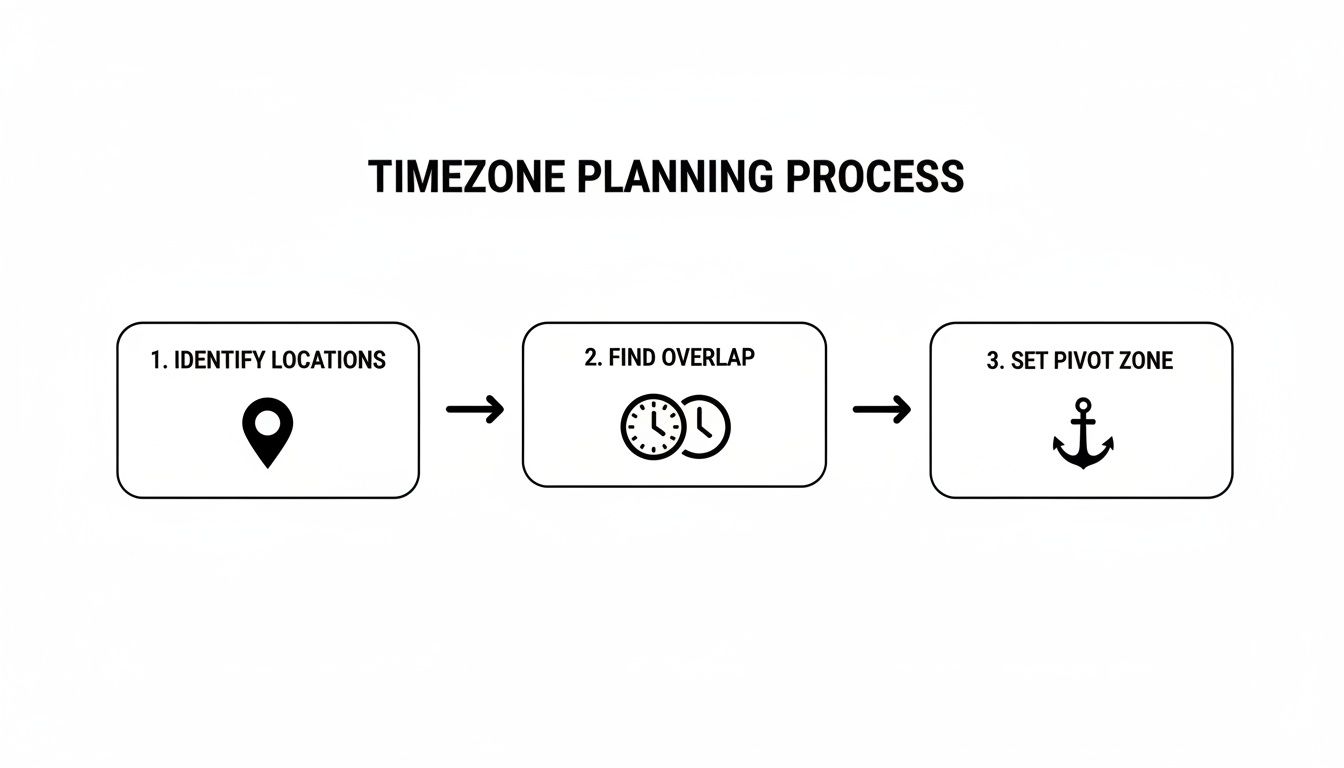
Think of this workflow as the foundation for your entire schedule. It’s what stops you from accidentally leaving a huge chunk of your audience out in the cold.
Grouping and Repeating Key Sessions
Once you've segmented your audience, you can create distinct content blocks designed for each group's peak times. For example, a session aimed at the APAC region might run at 08:00 CET, while another for the Americas could be pencilled in for 17:00 CET.
What about the really big moments, like keynotes or major announcements? Simple: repeat them. Hosting the same keynote twice—once for an Eastern hemisphere audience and again for a Western one—is a game-changing strategy. It guarantees everyone gets that live "main event" feeling, making the whole conference feel more inclusive and connected.
This isn't just a "nice-to-have" anymore; it's becoming a business necessity. Germany, for example, is a huge MICE destination, attracting 10% of global MICE trips in 2024. As German organisers host increasingly international events, the demand for smart, time zone-aware planning has skyrocketed. You can find more data on this trend in the Meeting & EventBarometer 2024/25.
To illustrate how this works, here's a sample schedule for a conference based in Germany (using CET/CEST), showing what time that would be for attendees in major global hubs.
Sample Overlap Windows for a DE-Centric Conference
| Session Time (CET/CEST) | London (GMT/BST) | New York (EST/EDT) | Singapore (SGT) | Tokyo (JST) |
|---|---|---|---|---|
| 09:00 | 08:00 | 03:00 | 15:00 | 16:00 |
| 11:00 | 10:00 | 05:00 | 17:00 | 18:00 |
| 16:00 | 15:00 | 10:00 | 22:00 | 23:00 |
| 18:00 | 17:00 | 12:00 | 00:00 (+1) | 01:00 (+1) |
As you can see, the 09:00 and 11:00 slots are great for Europe and Asia, while the 16:00 and 18:00 slots capture Europe and the Americas. No single time is perfect for everyone, which is why a multi-pronged approach is essential.
The single best thing you can do is remove the burden of time zone maths from your attendees. By analysing their availability and scheduling content in accessible blocks, you make participation feel effortless and valued.
Of course, doing all this surveying and analysis by hand can be a real grind. This is exactly where a modern time zone conference planner becomes your best friend. Instead of wrestling with spreadsheets, smart platforms can automatically analyse calendar data from everyone involved—attendees, speakers, and your team—to suggest the best times with a few clicks. For a deeper dive, check out our guide on how to choose a meeting planner for time zones. This kind of automation frees you from the logistical nightmare so you can focus on what actually matters: creating an amazing event.
Building an Agenda That Works Across Continents

Alright, you’ve pinpointed your optimal time windows. Now for the fun part: actually designing an agenda that people across the globe will want to attend. The big secret here is to anchor your entire schedule around your most important sessions.
Think of your keynotes and high-profile panels as the pillars of your conference. These are the sessions that need to happen within those peak accessibility slots you worked so hard to find. Everything else can be built around them.
One of the most common mistakes I see is packing the schedule too tightly. A virtual event isn't an in-person one. Your attendees are dealing with screen fatigue, work obligations, and their home lives. You have to build in breathing room. A 25- to 30-minute break after every couple of sessions isn't a luxury; it's essential.
Structuring Content Tracks
If you're running a multi-track event, grouping sessions by theme is your best friend. It helps attendees find what's relevant to them without feeling completely overwhelmed by a wall of options. You can offer a deep-dive technical workshop at the same time as a high-level strategy talk.
Here’s a simple way to think about it:
- Main Stage Track: This is for your heavy hitters—keynotes, big announcements, and panels with the broadest appeal. Drop these right into your prime overlap hours.
- Specialised Tracks: Let these run in parallel. You could have a "Developer Deep Dive" track running alongside a "Marketing Strategy" track, for example.
- Networking and Socials: Don't just tack these on at the end. Schedule dedicated virtual lounges or themed breakout rooms when different regions can actually join.
This approach gives your event a clear narrative and lets people build a personalised schedule that works for them. For organisers based in Germany, for example, the Central European Time zone (CET/CEST) is a massive advantage. Your standard 08:00–11:00 CET business hours align perfectly with evening slots in Asia, making it easier to engage attendees from India to Japan. You can dig into more strategies for aligning European and Asian schedules on secondtalent.com.
A successful global agenda isn't just a list of sessions; it's a carefully orchestrated experience. Prioritise clarity, provide breaks, and build in flexibility to create an event that feels welcoming and manageable for everyone, everywhere.
Finally, you need to be relentlessly clear in your communication. Every single piece of scheduling information, from your website to your email reminders, has to be crystal clear. Using a time zone conference planner that automatically shows the schedule in each person's local time is a non-negotiable. This one feature will eliminate the single biggest source of confusion and frustration for your attendees. No more missed keynotes.
Sidestepping the Common Time Zone Traps
Even with the best intentions, a single scheduling slip-up can throw your entire event into chaos. The goal here isn't just to be accurate; it's to make the experience so seamless that your global audience never even has to think about time zone maths.
Let's start by tackling the biggest culprit: Daylight Saving Time (DST).
This twice-yearly clock change is a nightmare for global event planners. Why? Because every country does it differently. Some change on different dates, and some don't change at all. A session that was perfectly timed last week could be an hour off this week, leaving you with empty virtual rooms and frustrated speakers.
This isn't just a minor hiccup; it can completely derail your conference. For those of us based in Germany, for example, we switch between Central European Time (CET) and Central European Summer Time (CEST). In 2025, those changes happen on 30 March and 26 October. If you schedule a session for late October at 10:00 CET, you have to remember that just a week earlier, that same time slot was 10:00 CEST—a full hour different. An automated planner has to get this right for every single attendee, or you're looking at a wave of no-shows.
Your Communication Needs to Be Flawless
Your communication plan is your single best defence against confusion. Ambiguity is the enemy here. Simply listing times in your event's primary time zone and hoping attendees figure it out is a recipe for disaster.
The most effective strategy is to remove the mental load entirely. Every piece of communication—from the registration page to email reminders—should automatically display schedules in the attendee's local time. This single step prevents 90% of time-related issues.
Modern scheduling tools make this incredibly easy. When someone from Tokyo views your agenda, the software detects their location and instantly translates all session times. It's a simple touch that makes your event feel professional, thoughtful, and genuinely global.
Beyond that, get obsessed with clarity in your formatting:
- Always state the time zone: Don't just say "9:00 AM." Say "9:00 AM CEST." Always include the abbreviation.
- Add a universal reference: Including the UTC offset (like UTC+2) gives everyone a global standard to fall back on.
- Use a 24-hour clock: This completely eliminates any AM/PM mix-ups, which happen more often than you'd think.
Let Smart Notifications Do the Heavy Lifting
Finally, put your tech to work with automated reminders. A simple email or calendar alert sent an hour before a session, and another 15 minutes before it starts, works wonders. The key is to include a direct "Join Now" link to remove any last-second friction.
And while you're perfecting the schedule, don't forget the real world still exists, especially for hybrid events. While you’re busy aligning time zones, your attendees might be busy navigating flight chaos and staffing shortages that could completely upend their plans.
By tackling DST head-on, communicating with absolute clarity, and using smart notifications, you can sidestep the most common mistakes. A solid time zone conference planner automates these safeguards, ensuring a smooth ride for every single person involved.
Using Technology to Automate Conference Scheduling
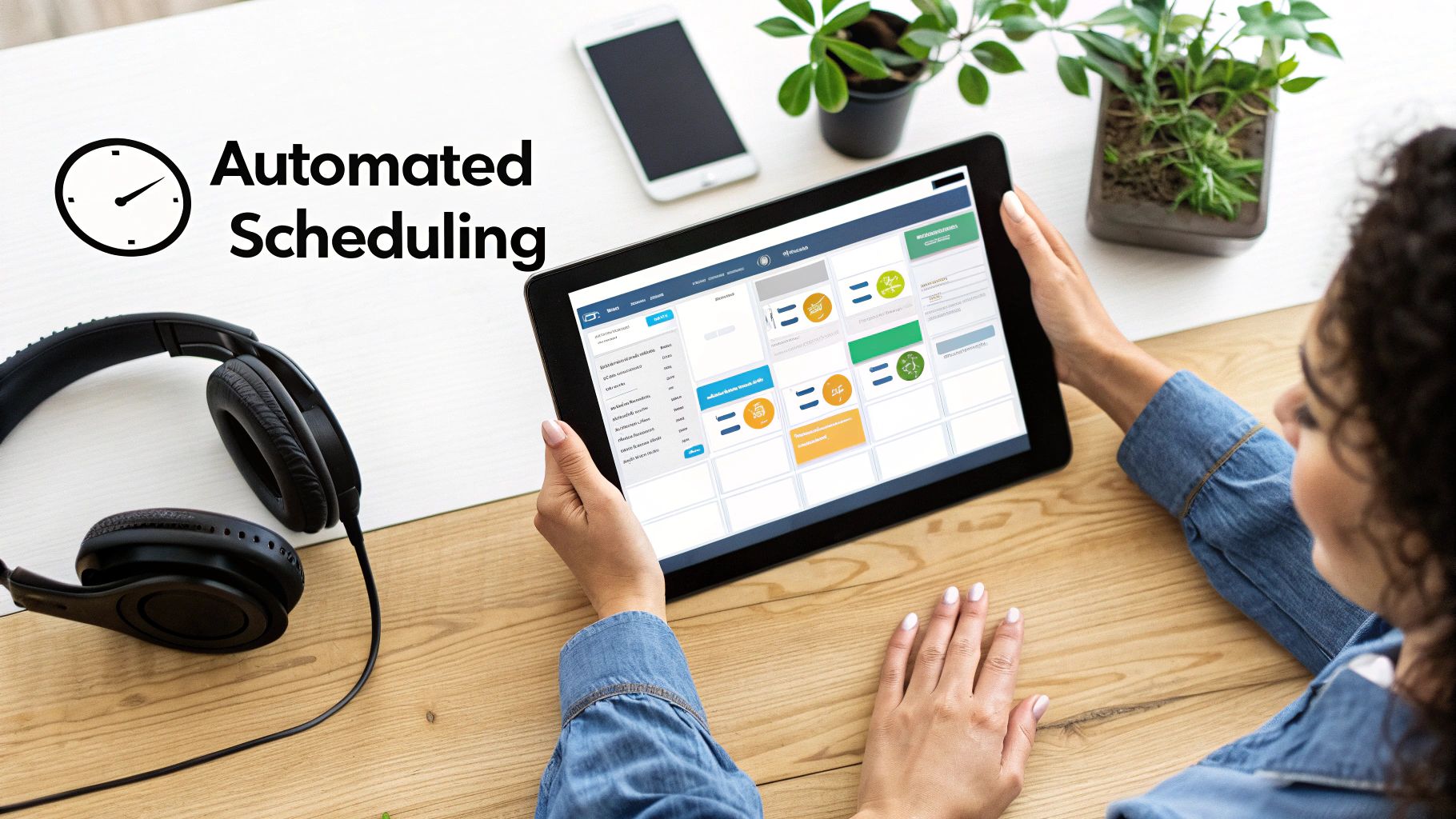
Manually trying to juggle spreadsheets and world clocks to line up a global conference is a direct route to burnout. I’ve seen it happen. The process is painfully slow and wide open to human error—one mistyped time zone offset and a keynote speaker misses their entire slot.
The good news? Modern scheduling tech can handle nearly all of this heavy lifting for you.
A proper time zone conference planner changes the entire game. Instead of reacting to scheduling fires, you can get ahead of them. Forget cross-referencing dozens of calendars; these tools give you a single, unified view of everyone's availability. You can instantly spot conflicts between speakers, team meetings, and attendee sessions before they ever become a real problem.
This is a lifesaver when you're coordinating a high volume of speakers. Imagine trying to find a slot for a presenter in Sydney that also works for panellists in Berlin and San Francisco. A smart scheduler can crunch every calendar and suggest the top three best times in seconds.
Let AI Find the Perfect Slot
One of the biggest leaps forward in scheduling is artificial intelligence. Instead of you manually hunting for openings, AI-powered tools can understand what you need and find solutions instantly.
For example, you could type something like, "Find a 45-minute slot for the Q3 planning session with the EMEA and APAC leads next week." The system gets to work.
- It analyses everyone's calendar: The AI scans the availability of all required attendees across their different time zones.
- It respects working hours: The tool knows not to suggest a time that falls at 2 AM for any participant.
- It gives you the best options: You get back a short list of the most convenient times for the largest number of people.
Think of all the back-and-forth emails this cuts out. For a deeper dive, our guide on planning with artificial intelligence shows how this works in practice. It’s all about letting the machine handle the messy calculations so you can focus on the human side of your conference.
Using an automated scheduler isn't just about being faster; it's about being accurate. It kills the guesswork and the potential for costly mistakes that come with manual time zone conversions. Every invite and reminder is correct for every single person.
Streamlining Communication and Reminders
Beyond just finding the time, technology automates all the tedious follow-ups. Once a session is booked, the system can automatically send calendar invites that show up correctly in each person's local time. Smart notifications then make sure everyone gets timely reminders with direct links to join, which dramatically cuts down on no-shows caused by simple confusion.
Using a dedicated platform like Whatpulse's Time Zone Meeting Planner tool can take so much of the pain out of organising international conferences. These tools are built to handle the tricky details—from DST changes to individual working hours—that are so easy to miss. By automating the logistical headaches, you free up your team to focus on what really matters: creating a killer event for your global audience.
Your Go-To Guide for Tricky Time Zone Questions
Even with the best plan in place, a few common headaches always seem to crop up when you're coordinating across continents. Let's tackle some of the most frequent "what if" scenarios I've seen organisers run into.
What’s the Best Way to Handle Last-Minute Speaker Changes?
A speaker dropping out or needing to reschedule is a classic event-planning nightmare, and time zones just add another layer of complexity. The trick is having a game plan ready before it happens.
First, you need to let everyone involved in that session know, and you need to do it fast. Use a tool that messages the team but—and this is crucial—displays the update in everyone’s local time. It's a small detail that prevents a huge amount of confusion.
Next, you need to find a new slot, fast. Forget the endless email chains. This is where an AI-powered scheduler comes in. It can instantly scan your replacement speaker's calendar against any panellists and suggest the best mutual times. What used to be a two-day drama can genuinely become a ten-minute fix.
How Should We Actually Display the Schedule?
Clarity is everything. The single most effective thing you can do is use a platform that automatically shows the entire agenda in each person's local time zone. This takes the mental gymnastics completely off your attendees' plates.
But don't stop there. For total clarity, always list the main event time zone (like CEST) and its UTC offset (e.g., UTC+2) right next to the localised time. It gives people a universal point of reference if they ever need to double-check.
The gold standard is a schedule that requires zero thought from your attendee. If they have to open a world clock app to figure out when a session starts, you've already added friction. Make it effortless.
How Do We Get People to Network Across So Many Time Zones?
Let's be honest: a single "virtual happy hour" for everyone just doesn't work. It’s too late for some and too early for others. A much smarter approach is to create several smaller, more focused networking blocks that cater to different regional groups.
Here are a few ideas that actually get results:
- Region-Specific Lounges: Try hosting one networking session for your APAC attendees in their evening, and a completely separate one for your Americas crowd in their afternoon.
- Topic-Based Breakouts: Instead of grouping by location, group by interest. Create smaller breakout rooms focused on specific subjects during the main conference hours. People connect better over shared passions, no matter where they are.
- Asynchronous Hangouts: Set up a dedicated Slack or Discord channel. It's a low-pressure way for attendees to introduce themselves and chat on their own schedule, bridging the gaps between the live stuff.
When you offer a mix of flexible networking options, you're making it easy for everyone to join in a way that feels natural to them. That's how you start building a real global community, not just a global audience.
Ready to eliminate the guesswork and automate your global scheduling? Calendar0 unifies your calendars and uses AI to find the perfect meeting times in seconds. Get started for free at calendar0.app.

