Time Block Planner: Master Your Day with Clear Focus and Productivity
Discover how a time block planner can ditch the to-do list, guard your focus, and boost productivity with a simple, proven framework for mastering your day.

Calendar0 Team
January 8, 2026

A time block planner is a pretty simple concept: you take your tasks off a list and give them a specific home on your calendar. Instead of a vague list of things you might do, you get a concrete plan for when you'll do them. It turns your calendar from a record of appointments into a genuine roadmap for your day.
Why Traditional To-Do Lists Don't Work
Let’s be honest, that massive to-do list sitting on your desk probably causes more stress than it solves. It’s just a pool of overwhelming possibilities, not a real plan.
Every time you look at it, you’re forcing your brain to ask, "Okay, what's the most important thing to tackle right now?" That constant re-evaluation is draining. It leads to decision fatigue, which is why it feels so much easier to just default to clearing out your inbox instead of diving into that big, important project.
A to-do list tells you what needs doing. A time block planner tells you when and where it will get done. This simple shift is the difference between reacting to your day and proactively owning it.

From Constant Chaos to Focused Calm
Think about a typical day run by a to-do list. You get to your desk, check emails, and immediately get pulled into an unscheduled call. You try to work on a report for 20 minutes before a colleague interrupts with a question. By lunchtime, you feel like you've been busy, but you’ve made almost no real progress on your priorities. The whole day feels like a chaotic scramble.
Now, let's replay that same morning with a time-blocked schedule:
- 9:00 - 10:30 AM: Deep Work: Finalise Q3 Marketing Report
- 10:30 - 11:00 AM: Communication Block: Respond to emails & team messages
- 11:00 AM - 12:00 PM: Project Sync Meeting
See the difference? Every minute has a job. This gives you a sense of control and massively reduces the mental energy you waste just figuring out what to do next. If you find yourself constantly feeling underwater, learning how to stop being overwhelmed by tasks is a great first step.
The real goal isn't just about managing your time; it's about managing your attention. When you pre-commit to your priorities on a calendar, you're building a fortress against distraction.
This is especially critical for professionals in Germany. Long workdays don't always mean productive workdays. In fact, research shows that up to 60% of working hours can be eaten up by low-value tasks, and a staggering 68% of people feel they don’t get enough uninterrupted time to focus. Time blocking directly tackles this, helping you make the most of your workweek without just putting in more hours.
Ultimately, a time block planner sets you up for a more intentional way of working. It’s a foundational piece of the puzzle for better work-life planning.
Right, before you can even think about slotting in those neat, colourful time blocks, your calendar needs a serious clean-up. A messy digital workspace is the enemy of focus. If you're constantly switching between calendars, you’re setting yourself up to fail.
The goal here is to create a single command centre for your time. No more mentally juggling your work schedule, your personal Google Calendar, and that shared family planner. That fragmentation is precisely where you double-book yourself or forget you promised to pick up the kids. Getting everything into one view is non-negotiable.
Create a Single Source of Truth
The absolute first thing you have to do is unify every single one of your calendars. Seriously. When you can see your 9 AM project sync right next to your 6 PM dentist appointment on the same screen, you start making much smarter decisions. You see the real picture of your day, not just the "work" version.
This is where a tool like Calendar0 is a lifesaver. It’s built to pull all your different calendars (Google, Microsoft, you name it) into one clean interface. This instantly kills the risk of double-booking and gives you an honest look at your actual availability. Once that's done, you have a solid foundation to build on.
Get Everything Out of Your Head
Okay, calendar unified? Good. Now it's time for a "brain dump." This is exactly what it sounds like: you're going to get every single task, to-do, reminder, and nagging thought out of your brain and onto a master list.
Don't try to organise it yet. Just write. The point is to capture it all, from "Finalise the Q3 budget report" to "Buy milk" and "Research summer holiday destinations." If your list is incomplete, your plan will be, too.
This process gives you a complete inventory of your commitments. When you start creating your time blocks, you can trust that nothing important has been forgotten. It’s all there, waiting to be scheduled.
The 15-Minute Weekly Audit
Finally, get into the habit of a quick weekly calendar audit. Think of it as tidying your digital desk before the week begins. I do this for 15 minutes every Friday afternoon, but Monday morning works too. It’s less about deep planning and more about clearing out the junk.
Here’s my quick checklist:
- Audit recurring meetings: Does this meeting still need to exist? Can it be shorter? Can it be an email? Be ruthless.
- Kill the "tentatives": Get rid of all those placeholder meeting invites that never went anywhere. They're just visual clutter.
- Process old reminders: Action, delegate, or delete any tasks left over from last week.
This simple ritual ensures you start each week with a clean slate. You're not distracted by outdated commitments and can build a realistic schedule with total clarity.
Right, you've prepped your calendar. Now for the fun part: turning that long list of to-dos into an actual, visual plan for your week. This is where we move from theory to reality.
The goal isn't just to fill empty slots. It’s about creating specific, outcome-focused blocks that tell you exactly what to do. Vague labels are your enemy here.
Forget putting "Work" on your calendar. That’s useless. Instead, get hyper-specific: "Finalise Q3 Marketing Report" or "Client Prospecting Calls." Specificity is everything. It removes the guesswork and mental friction when it's time to start.
This simple workflow is the foundation for getting your calendar ready for some serious time blocking.
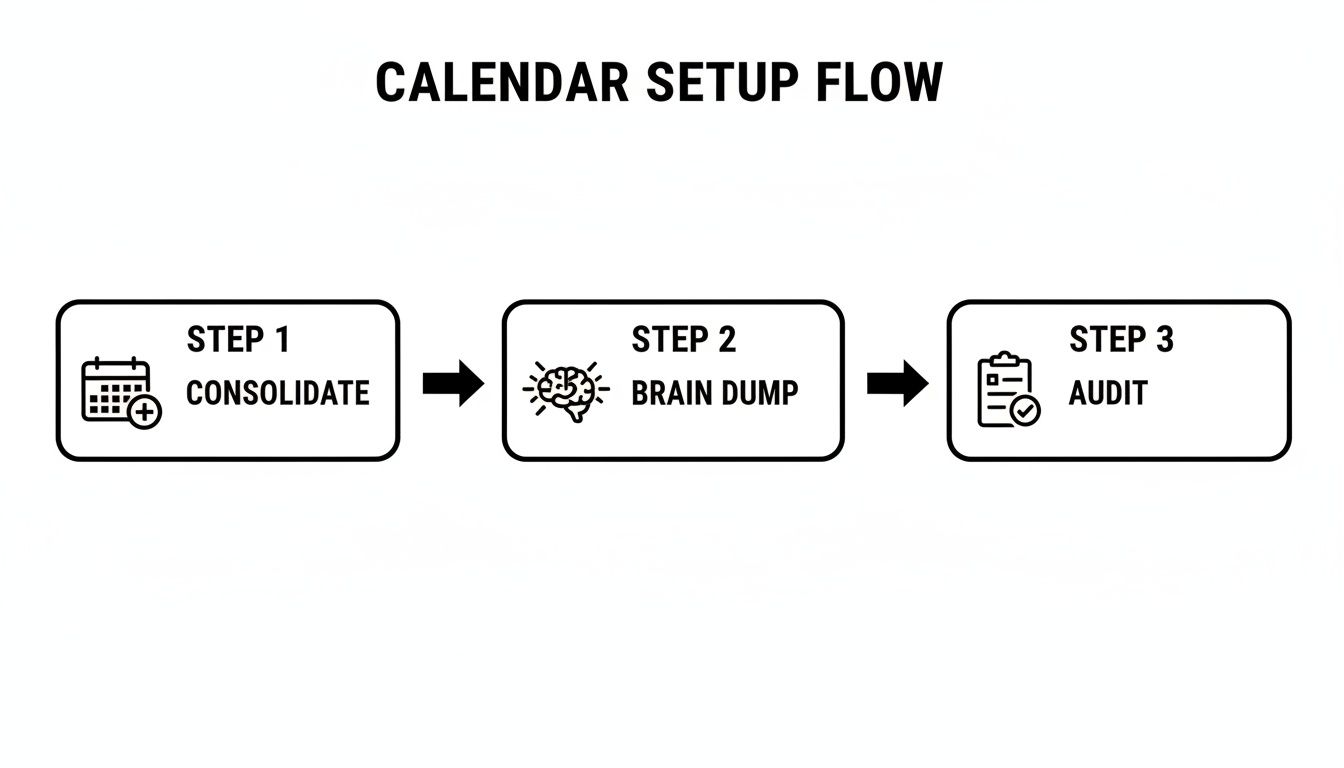
Nailing this sequence—consolidating, dumping, and auditing—means you're building your plan on solid ground, not on a chaotic mess.
Start with Task Batching
One of the most powerful tricks in the book is task batching. It’s simple: you group similar, low-focus activities together into a single, dedicated time block.
Think about all those little things that constantly interrupt you: checking emails, replying to Slack messages, making quick calls. Instead of letting them pop up all day, batch them.
Carve out a 30-minute "Comms" block at 11:00 AM and maybe another at 4:00 PM. This one small change stops the constant context-switching that absolutely murders deep work. You'll be amazed at how much mental energy you save for the projects that actually matter.
Consider Theme Days for Deeper Focus
If you want to take it a step further, try experimenting with theme days. This is where you dedicate an entire day to one specific type of work. It’s a brilliant way to get into a state of flow and make massive progress on big initiatives.
A themed week could look something like this:
- Meeting Mondays: Get all your internal and external meetings done and dusted in one go.
- Deep Work Wednesdays: A sacred, no-interruptions day reserved entirely for heads-down, focused work.
- Admin Fridays: Knock out all your reports, expenses, and weekly planning.
When you assign a theme to each day, you create a predictable rhythm. It doesn't just supercharge your own productivity; it also helps manage your team's expectations. They'll quickly learn when you’re available for a chat and when you're off-limits.
From a Reactive Day to a Proactive Time-Blocked Day
The difference between a day hijacked by interruptions and one guided by a time block plan is night and day. One path leads to constant stress and feeling like you're always behind. The other leads to control, calm, and a genuine sense of accomplishment.
If you're looking for tools to support this shift, our guide on choosing the best daily planner app is a great place to start.
To really see the difference, just look at how a typical day gets transformed.
From a Reactive Day to a Proactive Time-Blocked Day
| Time Slot | Typical Reactive Day | Effective Time-Blocked Day |
|---|---|---|
| 9:00 AM | Check emails, get pulled into a Slack rabbit hole. | Deep Work Block: Draft initial project proposal (90 mins) |
| 10:30 AM | Jump on an unscheduled call that runs over. | Communications Batch: Respond to emails & messages (30 mins) |
| 11:00 AM | Try to start a report, get interrupted by a colleague. | Scheduled Meeting: Project Kick-off Call (60 mins) |
| 1:00 PM | Back from lunch, scrolling, unsure what to do next. | Shallow Work Block: Update CRM & client notes (45 mins) |
See the shift from chaos to intention? That's the power of this system.
Just one last thing: don't forget to schedule breaks. A rookie mistake is to pack your schedule so tightly there's no room to breathe. Short 10-15 minute breaks between blocks are non-negotiable if you want to stay sharp and avoid burnout.
Using AI to Automate Your Schedule
Manually dragging blocks around your calendar is effective, but let's be real—it can get tedious fast. The moment a last-minute meeting request lands in your inbox, your perfectly structured day can feel like a house of cards ready to topple. This is exactly where modern tools can make a huge difference, stepping in to not just support your plan but to actively manage it for you.
An AI-powered time block planner basically supercharges your efforts by taking over the most frustrating bits of scheduling. Think about it: no more endless email chains trying to find a 30-minute slot that works for five different people. With a tool like Calendar0, you can just use plain English to get things done.
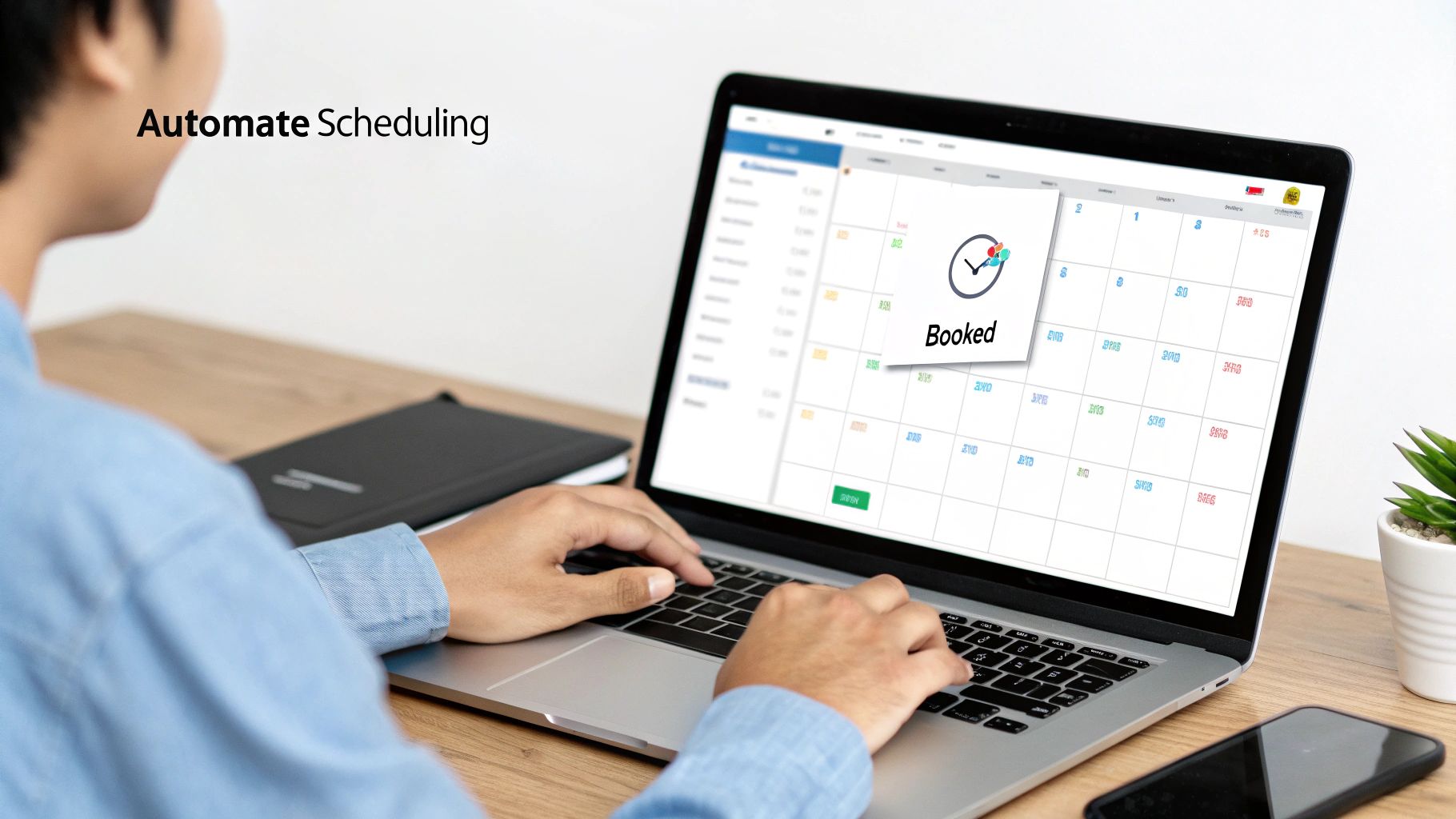
Simply type, "find 45 minutes for a project debrief next week," and the AI takes care of everything. It checks everyone's availability, sends the invite, and drops the confirmed event right into a perfect gap in your schedule.
Defend Your Focus Time Automatically
One of the biggest wins I've found with an AI planner is the ability to create protected focus time. You can tell the system which blocks are for deep work, and the AI will treat them as sacred. If someone tries to book over your protected time, the tool can automatically decline or suggest another slot without you lifting a finger.
This automated defence is an absolute game-changer. It gets rid of that awkward social pressure of having to manually reject invites and makes sure your most important work doesn't get steamrolled by someone else's agenda. You set the rules; the AI enforces them.
Smart Rescheduling Without the Stress
Life happens. A client call runs over, or an urgent, fire-drill-level task lands on your desk. In a manual system, this means a painful cascade of calendar Tetris, trying to shift everything around.
With smart scheduling tools, you can just drag and drop a block to a new time. The AI can even give you intelligent suggestions for where to move it based on your priorities and what’s left of your day. This kind of flexibility turns your time block plan from a rigid prison into a resilient guide. If you want to go deeper on this, we've got a whole article on planning with artificial intelligence.
This approach is particularly powerful in Germany, where the work culture often means long but fragmented digital workdays. German professionals need to cram high-value tasks into a capped workweek, making it critical to protect every last minute of focus.
A planner that can turn scattered pockets of time into protected, deep-work blocks is essential. For instance, data shows that German office workers have some of the longest digital workdays in Europe, yet surveys reveal nearly 7 in 10 workers feel they don’t get enough uninterrupted time for deep work. An AI layer that automatically defends your focus blocks is a powerful way to reclaim productivity, all while staying within the strict Arbeitszeitgesetz (Working Hours Act) limits.
Adapting Your Plan with a Weekly Review
Let's be honest: a time block plan should be a guide, not a prison. Real work is messy. Priorities pivot, meetings vanish, and urgent tasks crash the party without an invitation. This is exactly why your schedule needs to be adaptive, and the weekly review is the single most powerful tool for making that happen.
Without taking a moment to reflect, that beautifully crafted plan can become irrelevant by Tuesday. The goal isn't rigid perfection; it's consistent, meaningful progress. A quick, focused review is what keeps your time block plan tethered to reality.
The 20-Minute Friday Reset
I've found the sweet spot is just 20 minutes every Friday afternoon. This isn't some deep, soul-searching analysis. It's a pragmatic check-in to see what worked, what bombed, and what needs to change for the week ahead.
I always ask myself three core questions:
- What went well? Did those 90-minute deep work blocks actually feel productive? Did I nail the time estimate for that client report?
- Where did I struggle? Was I constantly getting pulled away on Wednesday afternoon? Did that "quick email" block balloon into a 60-minute slog?
- What can I adjust for next week? Maybe I need to move that deep work block to the morning when I have more energy. Or perhaps I need to build in a dedicated 'flex' block to absorb those unexpected tasks.
This simple habit of reflection and adjustment is what makes time blocking stick. If you want to go deeper on this, there are great resources out there on running an effective weekly review process.
Building Flexibility Directly Into Your Schedule
One of the first things you learn from a weekly review is that you have to plan for unpredictability. It sounds like a contradiction, but it works.
A super effective strategy is to schedule one or two "flex time" blocks of 30-60 minutes into your week. These are intentionally empty slots, designed purely to absorb unexpected requests or tasks that inevitably run over.
Now, when a last-minute ask comes in, it doesn't torch your entire day. It just fills a pre-allocated buffer, leaving your most important priorities untouched.
The weekly review transforms your time blocking from a static picture into a living, breathing system. It’s the feedback loop that ensures your schedule serves you, not the other way around.
This discipline is what allows you to continuously refine your time blocking. You start learning your own rhythms. You can create reusable templates for your typical weekly structure, adjust block durations based on what actually happened, and reprioritise your goals with real confidence. It’s the engine that powers a truly adaptable and effective schedule.
Got Questions About Time Blocking? Let's Clear Them Up.
Even the most perfect plan hits a snag. If you're just starting out with time blocking, it's completely normal to wonder how the system holds up when life gets messy. Let's tackle some of the most common worries I hear all the time.
The point isn't to build a rigid, unbreakable prison for your time. It’s about creating a flexible framework that guides your day with intention, one that can bend without breaking.
"What If an Urgent Task Blows Up My Plan?"
This is the big one, and it’s a fair question. The secret is remembering that time blocking is about being intentional, not inflexible. When something urgent lands on your plate, the first move is to pause and ask: is this truly urgent, or is it just loud?
If it's a genuine fire that needs putting out right now, the system is built to handle it.
- Reschedule, don't just delete. This is where a good digital calendar shines. With a tool like Calendar0, you can just drag and drop that interrupted block to another time or day. The priority isn't gone; it's just been relocated.
- Plan for the chaos. Here’s a pro tip: build in a couple of "flex" or "overflow" blocks each week. These are your 30- to 60-minute safety nets for the unexpected. When that "urgent" task pops up, it doesn't derail your entire day—it just fills a spot you already prepared for it.
This way, you’re not just reacting to chaos. You're responding with a plan.
"Isn't This Just Adding Tasks to My Calendar?"
Not quite. The difference is about being comprehensive and intentional. Dropping a few key appointments on your calendar is a decent start, but it leaves huge, empty gaps. And what happens in those gaps? Distractions, busywork, and endless context-switching. That's what.
Time blocking is different because you account for your entire day. You schedule the big projects, sure, but you also block out time for clearing your inbox, taking actual breaks, and even the 15 minutes you need to switch gears between meetings.
By assigning a job to every minute of your day before it starts, you kill decision fatigue. You stop asking, "What should I do next?" because you’ve already made that choice.
This is how you protect your deep work time from being chipped away by a thousand tiny, reactive tasks.
"Does This Take a Ton of Time to Set Up?"
There's a small upfront investment, I won't lie. You'll probably spend about 20-30 minutes once a week—maybe on a Sunday evening or Monday morning—to map out the days ahead. But the return you get on that half-hour is massive.
People who commit to this consistently tell me they save hours every single week. Why? Because they stop wasting time figuring out what's next, they cut down on context switching, and they actually carve out protected time for the work that matters.
And with smart tools, that initial planning time shrinks even more. AI planners can automatically find the best slots for your tasks. That little bit of planning pays for itself almost immediately, both in raw productivity and in the simple relief of not feeling constantly behind.
Ready to stop reacting and start directing your day with purpose? Calendar0 uses AI to automatically organise your time blocks, shield your focus time, and make rescheduling as easy as a drag and a drop. Take back control of your calendar.

