Finding the Best Weekly Planner Apps for Your Workflow
Stop juggling chaotic schedules. Our guide helps you find the best weekly planner apps to manage your time, boost productivity, and finally get organized.

Calendar0 Team
January 9, 2026

If your desk looks like a sticky note graveyard and you’re constantly flicking between three different calendars, you know the feeling. You’re busy, but you’re not actually getting much done. A good weekly planner app isn't just another shiny new tool; it's the command centre you need to get a grip on modern work and reclaim your focus.
Why Your Current Planning System Is Holding You Back
Let’s be honest. That patchwork system of paper to-do lists, a work calendar, a personal one, and a dozen reminders pinging from different devices? It isn’t really working. It creates more friction than flow.
The mental load from this kind of disorganisation is huge. Every time you have to switch between your work and personal schedules, for example, your brain has to stop, reset, and re-contextualise everything. That alone drains your energy before you’ve even started on the important stuff.
The Real Cost of Disorganisation
This isn't just about feeling overwhelmed—it has real, tangible consequences. Think about the time you’ve wasted in endless email chains just trying to book one meeting, cross-referencing multiple calendars to find a slot that works for everyone. Every minute spent on that kind of admin churn is a minute you didn't spend on high-impact work.
A fragmented system almost always leads to problems like:
- Missed Deadlines: When your tasks are scattered everywhere, it’s just too easy for something important to fall through the cracks.
- Double-Booked Meetings: Without one unified view of your time, you'll inevitably schedule a client call right on top of a personal appointment.
- Lost Focus: Constantly checking various apps and lists to figure out what's next makes it impossible to sink into deep, focused work.
This exact problem is why the global market for weekly planner apps is booming, now a major part of a digital productivity sector valued at an estimated USD 107 billion. People are actively looking for a single source of truth for their schedules. You can read the full research about this market growth.
A dedicated app gives you that command centre. It pulls all your commitments into one clear, actionable view. It helps you shift from being reactive—just responding to whatever pops up on your calendar—to being proactive, where you intentionally design your week for maximum impact.
Discovering Your Personal Productivity Style
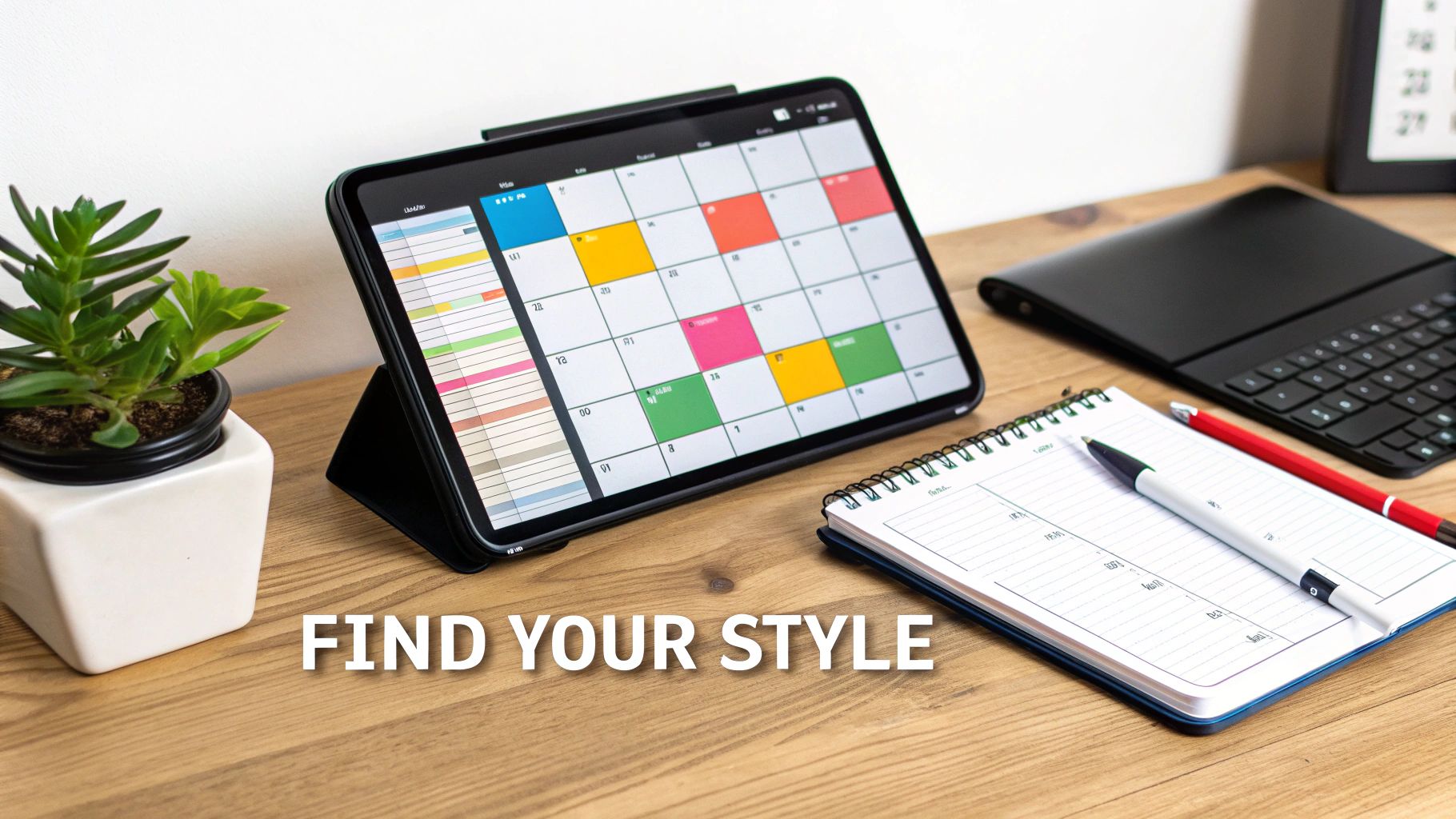
Before you even think about hitting the app store, let’s get one thing straight: the best weekly planner app is the one that fits how your brain already works.
Picking a tool without understanding your own workflow is a recipe for frustration. It's like buying a new pair of shoes without knowing your size—you're just setting yourself up for a bad time. The goal isn't to force yourself into a rigid new system; it's to find a tool that feels like a natural extension of how you already think and plan.
So, take a moment. What does your ideal week actually look like? Is it a perfectly organised mosaic of colour-coded time blocks? Or is it more of a flexible, a high-level list of priorities you can shuffle around as the week unfolds? Answering that one question is the first step toward finding an app that genuinely clicks.
If you're curious about what's out there, exploring different types of planners, including digital options can be a great way to see how various tools cater to different needs.
What’s Your Planner Profile?
Everyone organises their time and tasks differently. Let's figure out where you fit. Pinpointing your natural style will help you zero in on the features that will actually make a difference in your day-to-day grind, rather than just adding more digital clutter.
To make this easier, I've put together a quick table. See which profile sounds most like you. This little bit of self-diagnosis will guide you toward the features that truly matter.
Which Planner Profile Fits You Best?
| Planner Profile | Core Needs | Must-Have App Features |
|---|---|---|
| The Visual Strategist | Seeing the big picture, understanding time allocation, and visualising workflow. | Colour-coding, timeline views, clear weekly layouts, drag-and-drop rescheduling. |
| The Task-Driven Achiever | Progress tracking, breaking down big projects, and the satisfaction of completion. | Checklists, sub-tasks, progress bars, recurring tasks, project management views. |
| The Fluid Coordinator | Agility, managing multiple inputs, and seamless collaboration. | Multi-calendar sync, shared calendars, quick-add tasks, notifications, integrations. |
Once you’ve identified your profile, you can start asking the right questions. A Visual Strategist might ask, "Does this app have a clean, customisable weekly view?" while a Task-Driven Achiever should wonder, "How well does it handle nested tasks and dependencies?" It’s all about finding what works for you.
An app that matches your natural workflow reduces the mental friction of planning. That frees up your brainpower for the deep work that actually matters.
The best tools adapt to you, not the other way around. By getting clear on your core needs first, you're not just choosing an app; you're building a system for success. To see how these ideas translate into real-world tools, check out our breakdown of the best planning apps for various workflows.
Here are the core features every great weekly planner needs to have.
A truly useful weekly planner app does more than just show you a calendar. It’s designed to cut down on the administrative busywork so you can actually focus on what matters. These are the non-negotiables that separate a basic scheduler from a tool that genuinely makes you more productive.
First up, it absolutely must bring all your calendars together. A great app has to connect seamlessly to everything you already use—your personal Google Calendar, your work account on Microsoft 365, and even that shared family iCal. This creates a single source of truth for your entire life, ending the constant tab-switching just to figure out when you’re free.
If it can't do this, you’re not really centralising anything; you're just looking at multiple calendars through a different window. Think about it: when you schedule a client call, a powerful app instantly checks your work and personal calendars for conflicts. That alone prevents you from accidentally booking a new business meeting right over your kid's dentist appointment.
Intelligent Scheduling and Time Management
Once your calendars are all in one place, the app needs to help you manage your time intelligently. This is about more than just slotting in events. You need tools that actively help you guard your most valuable resource: your time.
Here's what to look for:
- Time Blocking: The ability to visually fence off chunks of your day for deep work. This is how you guarantee uninterrupted time for your most important projects.
- Natural Language Input: Instead of clicking through a dozen fields, you should be able to just type, "Team sync Friday 2 pm with Alex and Maria." The app should be smart enough to parse that, find your contacts, and create the event. This one feature can save you an incredible amount of clicking around each day.
- Smart Suggestions: When you’re trying to find a time for a group meeting, the app should do the heavy lifting. It should analyse everyone’s availability and suggest the best open slots, killing the painful "what time works for you?" email chain once and for all.
The point of these features isn’t just convenience. It’s about reducing your cognitive load. Every moment you don't spend on manual scheduling is another moment you can put back into meaningful work.
Seamless Cross-Platform Synchronisation
Finally, none of this matters if your planner doesn't work everywhere you do. Flawless cross-platform synchronisation is absolutely essential. Your weekly planner needs to feel like one continuous tool, whether you’re on your laptop at your desk, your phone between meetings, or your tablet on the sofa.
This means any change made on one device—like pushing a meeting back an hour on your computer—must show up instantly on your phone. No lag, no manual refresh button. This real-time sync is what gives you the confidence that your schedule is always accurate, no matter where you are. An app that can’t get this right will just add to the chaos instead of solving it.
Tying Your Planner Into Your Digital World
Here’s the thing: a powerful weekly planner app is totally useless if it lives on an island. To actually make a difference, it needs to be the central command hub for your entire digital life, not just another app you have to remember to check.
The real goal is to get a single, unified view of everything you’ve committed to. No more duplicate events or conflicting schedules. For most of us, that means bringing together at least two calendars—a personal one like Google Calendar and a work account, probably on Microsoft 365.
A great app doesn’t just stick these calendars next to each other. It intelligently merges them into one cohesive timeline. This is how you create a "single source of truth" for your schedule, so you never have to second-guess which calendar has the right details for that 3 PM meeting.
Creating One Unified Calendar View
First things first, you have to connect your existing accounts. Any decent planner will walk you through authorising your Google and Microsoft accounts securely. The magic really starts once the app can read your availability from everywhere at once.
For example, when you go to schedule a project kick-off, the app should automatically see that you have a dentist appointment logged in your personal Google Calendar and block that time out. It's a simple concept, but it prevents the most common scheduling headache: double-booking yourself. You can finally stop flipping between three different browser tabs just to find an open slot.
Tools like Calendar0 are built specifically for this. They give you a menubar view that pulls it all together without any fuss. If you want to get into the nitty-gritty, our guide on how to sync your different calendars effectively has a full walkthrough.
This flow chart breaks down the essential functions that make this integration actually work.
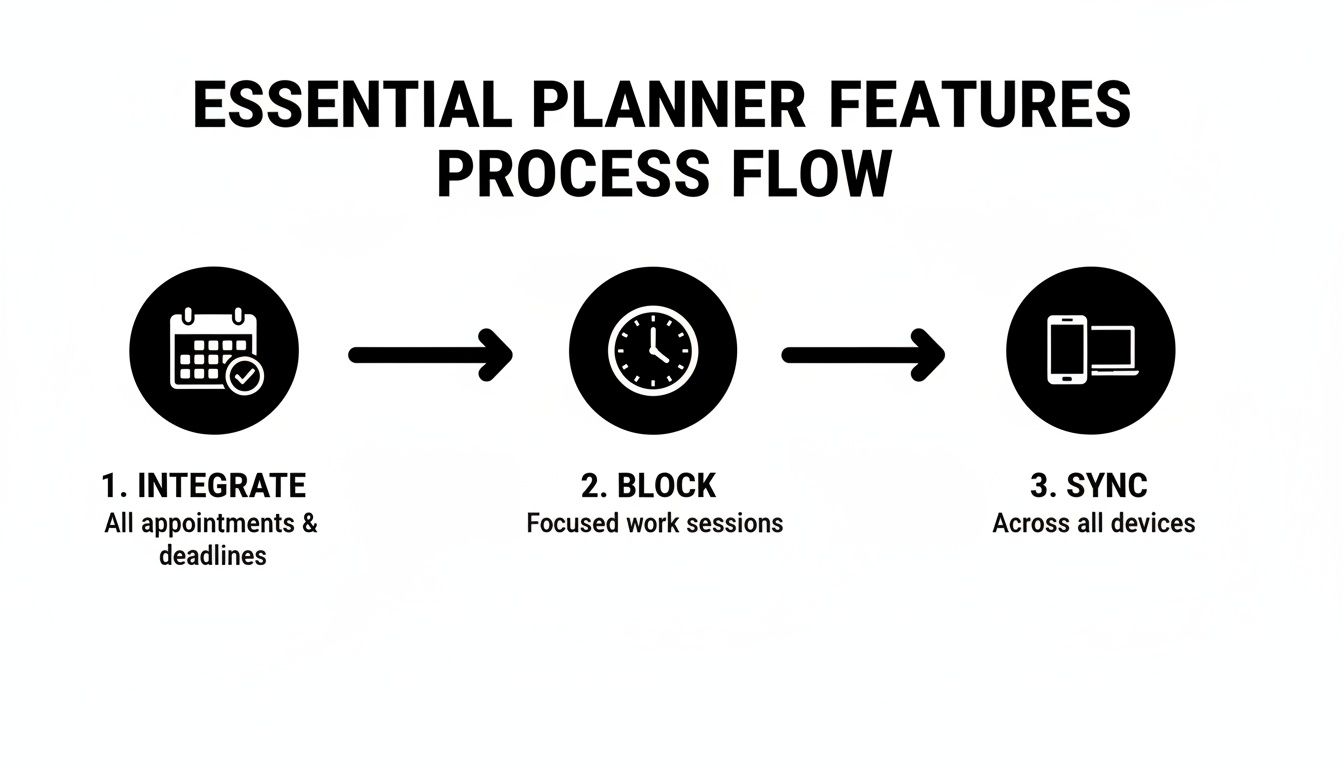
The key takeaway? True integration isn't just about looking at calendars. It's an active system of integrating, blocking, and syncing to make your schedule functional.
Making Your Planner the Default Hub
Once everything’s connected, the next step is building the habit. You have to start using your new weekly planner as your primary tool for everything. All new events, tasks, and reminders should go through the app, trusting it to put them on the right calendar automatically.
Here are a few practical tips to make that transition stick:
- Set a Default Calendar: Configure the app to route new work events to your Microsoft 365 calendar and personal stuff to Google Calendar by default.
- Use Quick-Add Features: Get comfortable with natural language input or keyboard shortcuts. Typing "Project deadline review Thursday at 10 am with the design team" is way faster than clicking through a bunch of fields.
- Lean on AI Suggestions: A lot of modern planners use AI to suggest the best meeting times based on everyone’s availability, which cuts out all those tedious "what time works for you?" emails.
By making your planner the go-to tool for all scheduling, you eliminate ambiguity. It becomes the definitive record of your time, providing clarity and control over your week.
This push toward smart, centralised scheduling is especially big in North America and Western Europe, where digital literacy and a focus on productivity are high. In Europe, particularly in Germany, there's a growing appetite for tools that help professionals juggle multiple complex calendars. You can learn more about these market dynamics and see how these trends are shaping the tools we all use.
Advanced Tactics for True Weekly Mastery
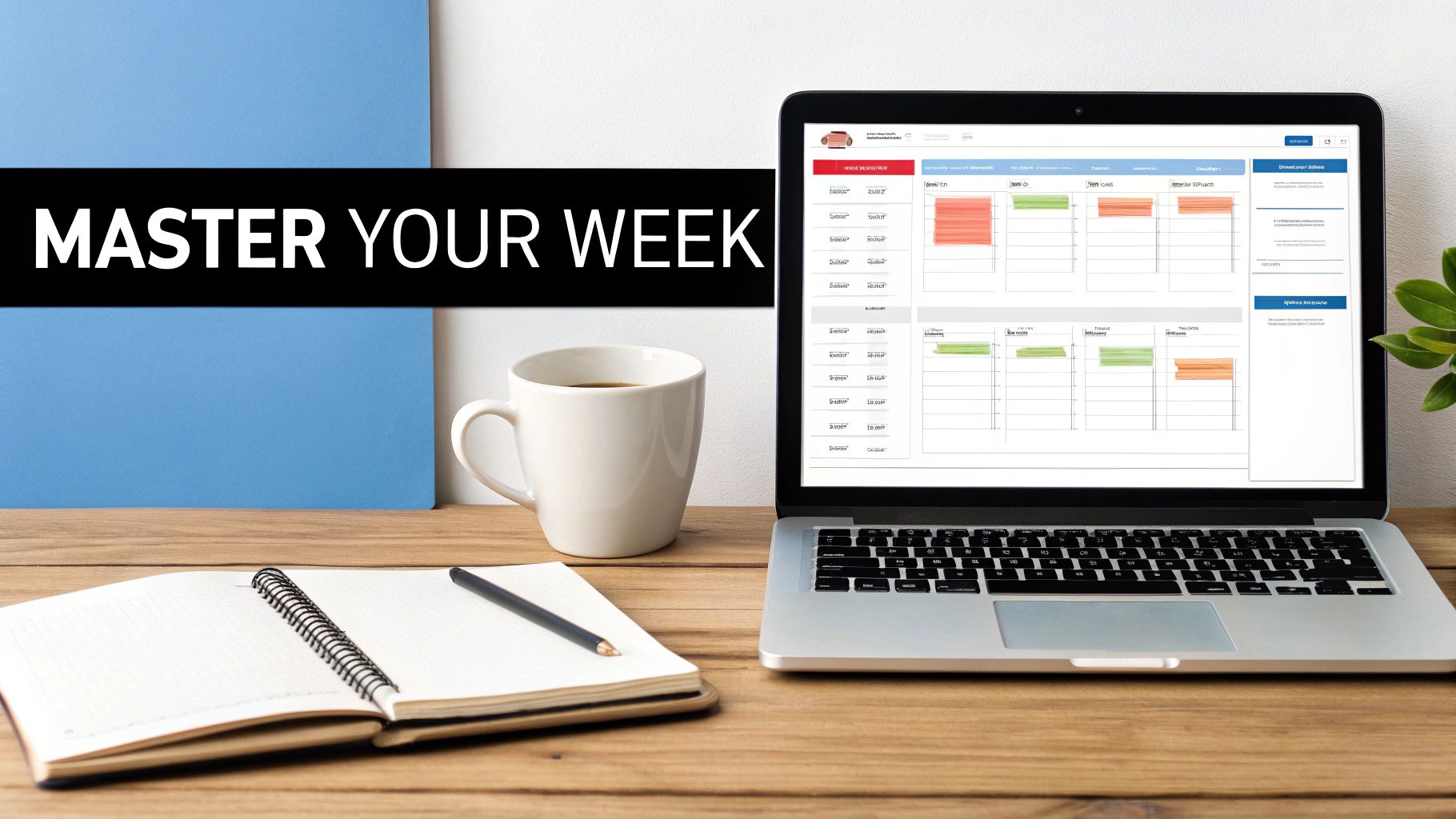
Alright, you’ve got your calendars synced up. Now the real work begins. Let's move past just listing appointments and start actually designing your week.
A great planner app isn’t just a record of what’s happening to you; it’s a command centre for making things happen. It's about shifting from a reactive mode, where your day is a scramble to answer emails and requests, to a proactive one where you’re in the driver’s seat.
I’m going to walk you through a few powerful techniques that seasoned productivity pros swear by to get a handle on their time.
Master the Art of Time Blocking
This is the big one. Time blocking is the simple act of scheduling tasks directly into your calendar, giving them the same weight as a meeting. Your to-do list stops being a vague wish list and becomes a concrete plan.
The psychological shift here is massive. Instead of a floating task like "work on Q3 report," you create a non-negotiable appointment: "9:00 - 11:00 AM: Draft Q3 strategy document." Suddenly, that time is protected. Smaller, less urgent tasks can't just sneak in and derail your most important work.
Some people even find that using physical weekly time blocking pads helps them conceptualise how to lay out their digital week. It forces you to think in hourly slots.
Time blocking transforms your calendar from a record of your obligations into a plan for achieving your goals. It's the single most effective way to protect your focus.
The best weekly planners make this second nature. You should be able to drag a task from a list right onto your calendar, instantly turning it into a scheduled block of time.
Implement Themed Days to Reduce Cognitive Load
Here’s another game-changer: theme your days. Grouping similar work together drastically cuts down on the mental energy you lose from context switching. Your brain isn’t constantly having to change gears from creative mode to analytical mode to admin mode.
For a freelance consultant, a themed week might look something like this:
- Mondays: Client Meetings & Onboarding
- Tuesdays: Deep Work & Project Delivery
- Wednesdays: Content Creation & Writing
- Thursdays: Business Development & Outreach
- Fridays: Admin, Invoicing & Weekly Review
This creates a powerful rhythm. You wake up on Tuesday and your brain is already primed for deep, focused work. No more "What should I be doing now?" indecision.
Become a Power User with Keyboard Shortcuts
Every click you save is a little bit of friction removed. Over a week, those seconds of pointing and dragging add up to minutes, and those minutes add up to real time.
Seriously, take 15 minutes to learn the core keyboard shortcuts for your app. Things like creating a new event, jumping to today's date, or flipping between day and week views.
Once you build that muscle memory, managing your schedule starts to feel fluid and effortless, almost like an extension of your own thoughts. Many tools are now blending this with task management, a concept we dig into in our guide on how to start integrating Notion for time tracking. When you get this right, your planner stops being just a schedule and becomes a complete productivity engine.
Of course. Here is the rewritten section, crafted to sound like it was written by an experienced human expert, following all your requirements.
Got Questions About Weekly Planner Apps?
Making the jump to a new digital tool always brings up a few questions. It’s a totally normal part of the process. Let's walk through some of the most common things people wonder about when they're thinking about moving to a dedicated weekly planner app.
The biggest shift you'll notice between a basic calendar and a real planner app is moving from being reactive to proactive. Your standard calendar is fantastic at one thing: logging appointments. It’s a passive record keeper that tells you where you’ve promised to be and when.
A weekly planner app, on the other hand, is an active partner in your week. It’s built to help you strategically decide how to invest your time by weaving together your appointments, your tasks, and your bigger goals. It doesn't just show you your commitments; it helps you answer the crucial question, "What's the most important thing for me to do right now?"
How Can I Sync Work and Personal Calendars Without Creating a Mess?
This is the million-dollar question, and it's where modern planner apps truly prove their worth. The secret isn't to merge everything into one chaotic blob, but to find an app that creates a unified view. You absolutely don’t want your boss getting an invite to your kid's football practice.
The best apps handle this beautifully. They connect to your various Google and Microsoft accounts and lay everything out in a single, clean, colour-coded interface. They’re smart enough to check for conflicts across all your connected calendars before you add something new, which means you’ll never double-book yourself again. Your calendars stay separate and secure on the back end, but your schedule becomes one coherent picture.
The goal is a single source of truth for your time. Your work calendar remains for work, your personal one for personal stuff, but you see it all in one place. No more guesswork, no more overlaps.
Are Paid Weekly Planner Apps Actually Worth the Money?
For anyone whose time is their most valuable resource—like professionals, freelancers, or founders—the answer is a definite yes. While free tools are great for basic scheduling, paid apps introduce features that deliver a real, tangible return on your investment.
Think about the tools that give you back actual time, every single day:
- AI-Powered Scheduling: Automatically finding the perfect meeting time for a group without the endless back-and-forth emails.
- Unlimited Integrations: Connecting to all the digital tools you rely on, not just a couple of calendars.
- Advanced Task Management: Turning a simple to-do list into a scheduled, actionable plan that gets done.
Look at it as an investment in your own efficiency. If a premium app saves you just 15-20 minutes a day—and the good ones easily do—it pays for itself many times over in recovered productivity, less stress, and more headspace for the work that really moves the needle.
Ready to stop juggling calendars and start designing your week with intention? Calendar0 is an AI menubar calendar that unifies your Google and Microsoft schedules, prevents double-booking, and lets you schedule meetings at the speed of thought. Try Calendar0 for free and reclaim your time.

