The 12 Best Time Blocking Apps to Organise Your Day in 2026
Discover the top 12 time blocking apps to master your schedule. Compare features, pricing, and find the perfect tool to organise your time effectively.

Calendar0 Team
January 15, 2026

In a world of constant notifications and competing priorities, an open calendar is often mistaken for an open invitation to distraction. The traditional to-do list, while useful, often fails to account for the most finite resource we have: time. This is where time blocking fundamentally changes the game. By intentionally scheduling specific blocks of time for tasks, meetings, and deep work, you move from a reactive state to a proactive one, ensuring your most important work actually gets done. The challenge, however, is finding the right tool to make this method seamless rather than another administrative burden.
This comprehensive guide is designed to help you navigate the crowded market of time blocking apps. We have meticulously evaluated the top contenders to provide you with a clear, practical comparison. Instead of generic feature lists, you will find an honest assessment of how each app performs in real-world scenarios, from managing complex team projects to organising your personal life. We will delve into critical features like AI-powered scheduling, automatic rescheduling, focus modes, and privacy considerations. When implementing a time blocking strategy, it's also crucial to consider how different tools handle various calendar integration options to streamline your workflow.
Our goal is to cut through the marketing noise and give you the insights needed to choose the perfect app for your specific needs. Each review includes detailed analysis, pricing information, and clear recommendations on who the tool is best for. With screenshots and direct links for every app listed, you can quickly evaluate the options and find the solution that will transform your calendar from a simple record of appointments into a powerful blueprint for productivity.
1. Calendar0
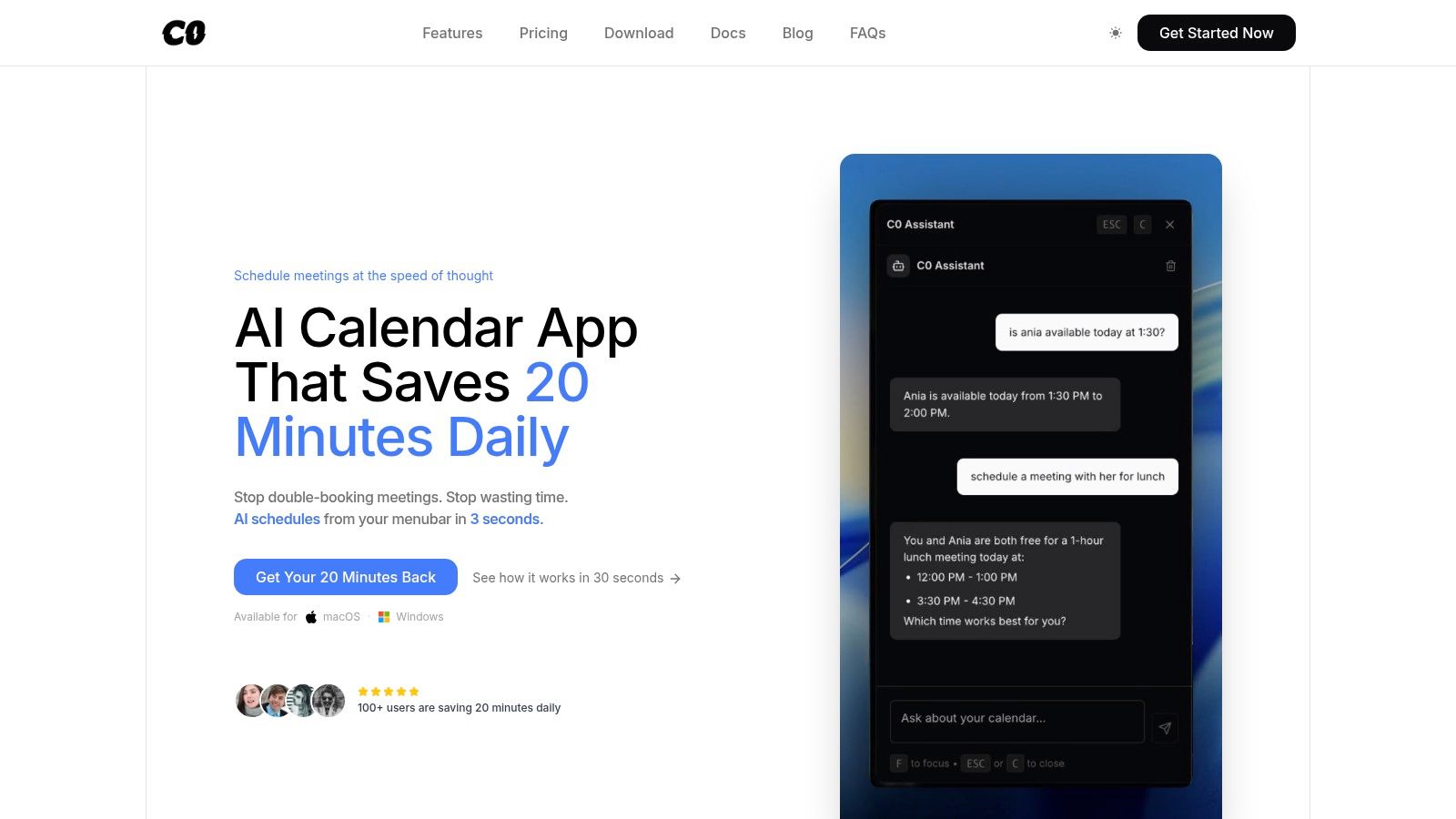
Calendar0 emerges as a formidable choice in the landscape of time blocking apps, primarily for its desktop-first, AI-powered approach to scheduling. It operates from the menubar on macOS and Windows, designed for professionals who need to manage complex schedules without the constant distraction of a browser tab. The platform unifies Google, Microsoft, and Apple calendars into a single, cohesive view, which is its foundational strength for preventing double-bookings and surfacing true availability across work and personal accounts.
This unified view is where its time-blocking capabilities truly shine. Instead of juggling multiple calendars, users can see all commitments at a glance and drag-and-drop tasks into open slots with precision. Its natural language processing is a significant differentiator; typing a simple phrase like "block 2 hours for deep work on project alpha tomorrow morning" instantly creates the event on the correct calendar, removing several manual steps.
Why It Stands Out for Time Blocking
Calendar0’s design philosophy centres on speed and keyboard-first navigation. This makes the process of creating, adjusting, and organising time blocks exceptionally fast.
- AI-Powered Scheduling: The AI doesn't just parse dates; it understands context. It can find contacts, check for conflicts across all attendees' unified calendars, and send the invitation automatically. This transforms scheduling from a multi-step chore into a single command.
- Conflict Prevention: By aggregating all calendars, it provides an accurate, real-time view of your availability. This is crucial for effective time blocking, ensuring you don't accidentally schedule a focus session over a forgotten personal appointment.
- Bulk Operations: A standout feature is the ability to select multiple events and modify them simultaneously. For instance, you can add a 15-minute buffer before all meetings on a given day with a single action, a powerful tool for building realistic, flexible schedules.
- Privacy-First Architecture: With OAuth2 and local token encryption, your calendar data is not stored on Calendar0's servers. This provides peace of mind for users handling sensitive professional and personal information.
Pricing and Access
Calendar0 offers a flexible pricing model that caters to different user needs. There is a free Starter tier with core features, a $4.99/month subscription, or a Lifetime license for a one-time payment (currently $49). The paid tiers unlock unlimited AI commands and all future AI enhancements.
Website: https://www.calendar0.app
2. Motion
Motion elevates the concept of a smart calendar by positioning itself as an AI-powered assistant dedicated to building your perfect day. Instead of you manually dragging tasks into time slots, Motion’s core function is its intelligent auto-scheduler. You simply list your tasks, assign priorities and deadlines, and its algorithm finds the optimal time for each one, arranging them around your existing meetings and appointments. This makes it one of the most hands-off time blocking apps available for daily planning.
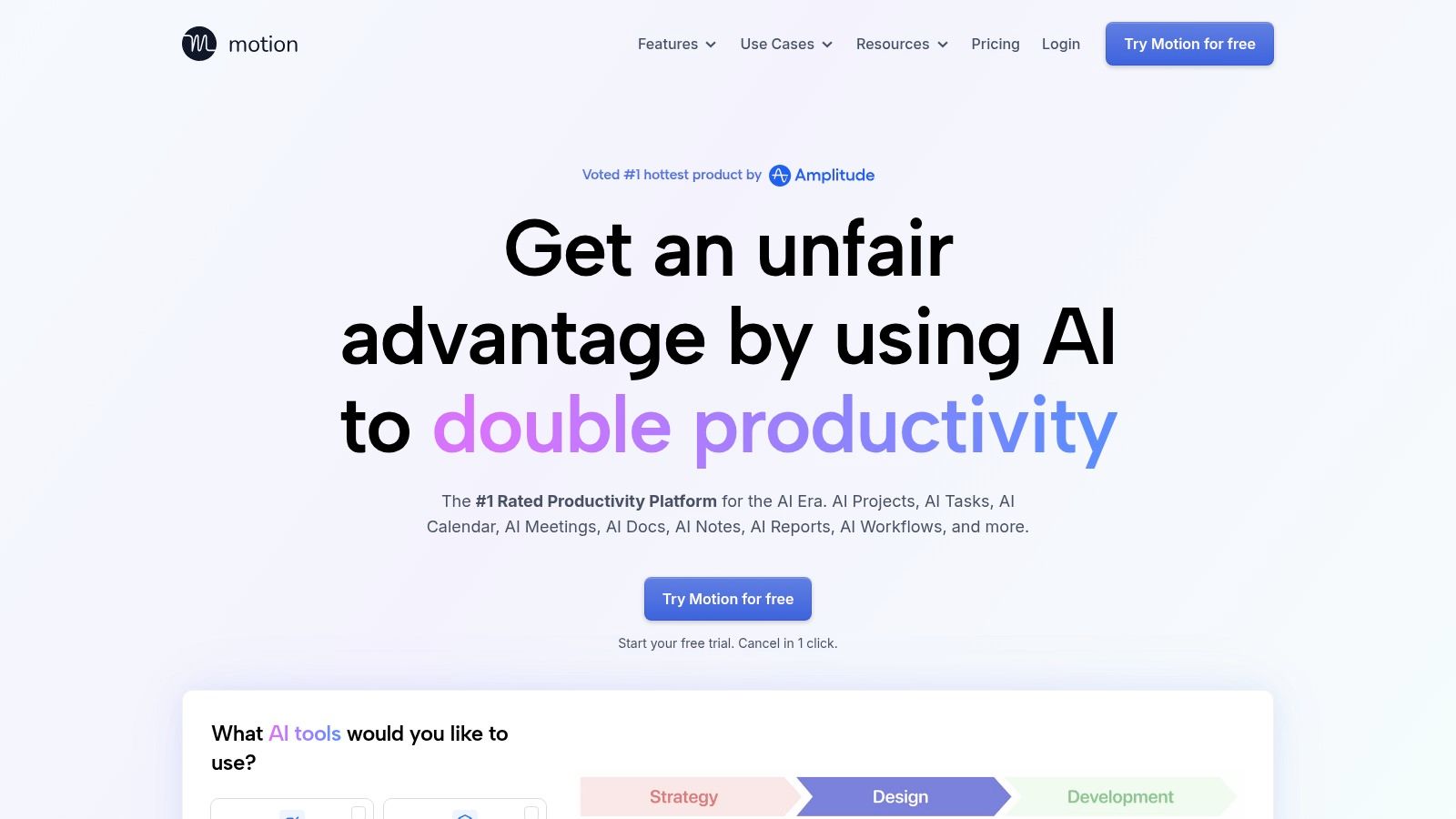
What truly sets Motion apart is its dynamic rescheduling capability. When an urgent meeting pops up, Motion doesn't just alert you to a conflict; it automatically reorganises your entire task schedule to accommodate the change, ensuring nothing important is forgotten. This proactive approach to planning is a significant time-saver for busy professionals. For those managing teams, its project management features offer dashboards and capacity planning, integrating individual schedules into a cohesive team calendar.
Key Details & Pricing
- Best For: Individuals and teams who want to fully automate their daily scheduling and eliminate manual calendar organisation.
- Standout Feature: AI-powered auto-scheduling and rescheduling that adapts to your changing priorities in real time.
- Pricing: Motion operates on a subscription model, with plans for individuals and teams. Individual plans start at $19 per month (billed annually). It is on the pricier side, but its automation may justify the cost for the right user.
For more insights on integrating such powerful tools, explore our guide on achieving better work-life planning.
Website: https://www.usemotion.com
3. Reclaim
Reclaim operates as a smart assistant for your calendar, designed to automatically find the best times for your tasks, habits, and focus sessions. Its primary goal is to defend your time by intelligently blocking out periods for deep work around your existing meetings. You connect your calendars, list your recurring habits (like lunch or exercise) and tasks with deadlines, and Reclaim’s AI organises them, ensuring your schedule reflects your priorities, not just your appointments. This makes it one of the most effective time blocking apps for professionals looking to protect their focus time automatically.
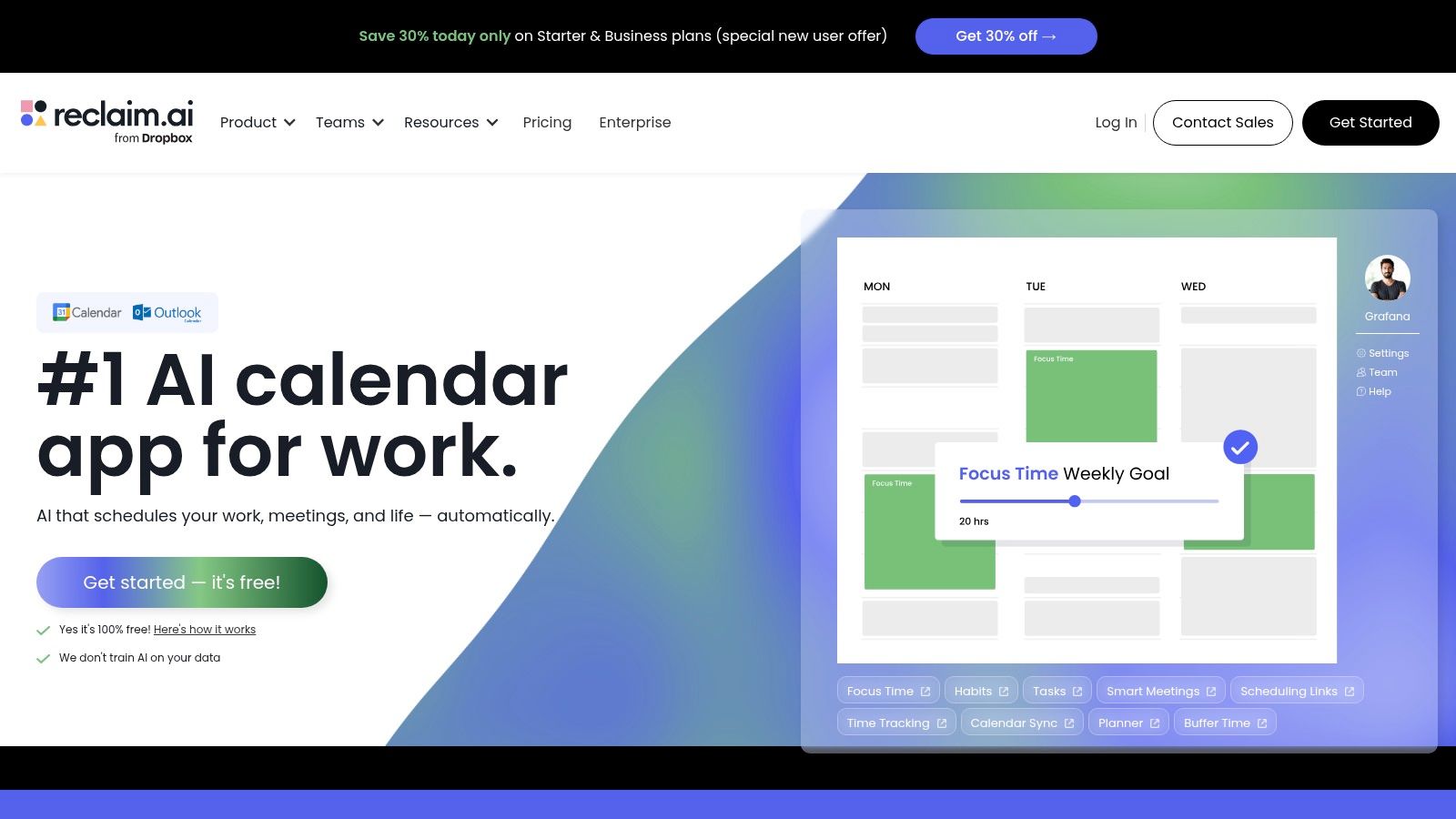
What makes Reclaim stand out is its "set it and forget it" nature for both individual tasks and routines. It syncs across multiple calendars to prevent double-booking and can automatically colour-code events to give you an at-a-glance view of your day. For teams, its analytics provide powerful insights into how time is spent, helping to identify meeting overload and protect developer focus time. The platform also offers smart scheduling links that find mutual availability, reducing the back-and-forth of coordinating meetings.
Key Details & Pricing
- Best For: Professionals and teams, particularly in tech, who want to automate the protection of focus time and the scheduling of habits.
- Standout Feature: Automatic calendar defence that intelligently blocks time for tasks, habits, and breaks, adapting as your meeting schedule changes.
- Pricing: Reclaim offers a free plan for individuals. Paid plans with more advanced features like team analytics and unlimited smart habits start at $8 per user, per month (billed annually).
Website: https://reclaim.ai
4. Sunsama
Sunsama is designed for intentional daily planning, transforming the often-chaotic process into a calming, guided ritual. Its core philosophy centres on helping you create a realistic and achievable plan for your day. You start by pulling tasks from various integrated tools (like Asana, Trello, or Jira), then mindfully drag each one onto your calendar. This deliberate process of timeboxing encourages you to be honest about your workload and protect your focus time, making it one of the most thoughtful time blocking apps for preventing burnout.
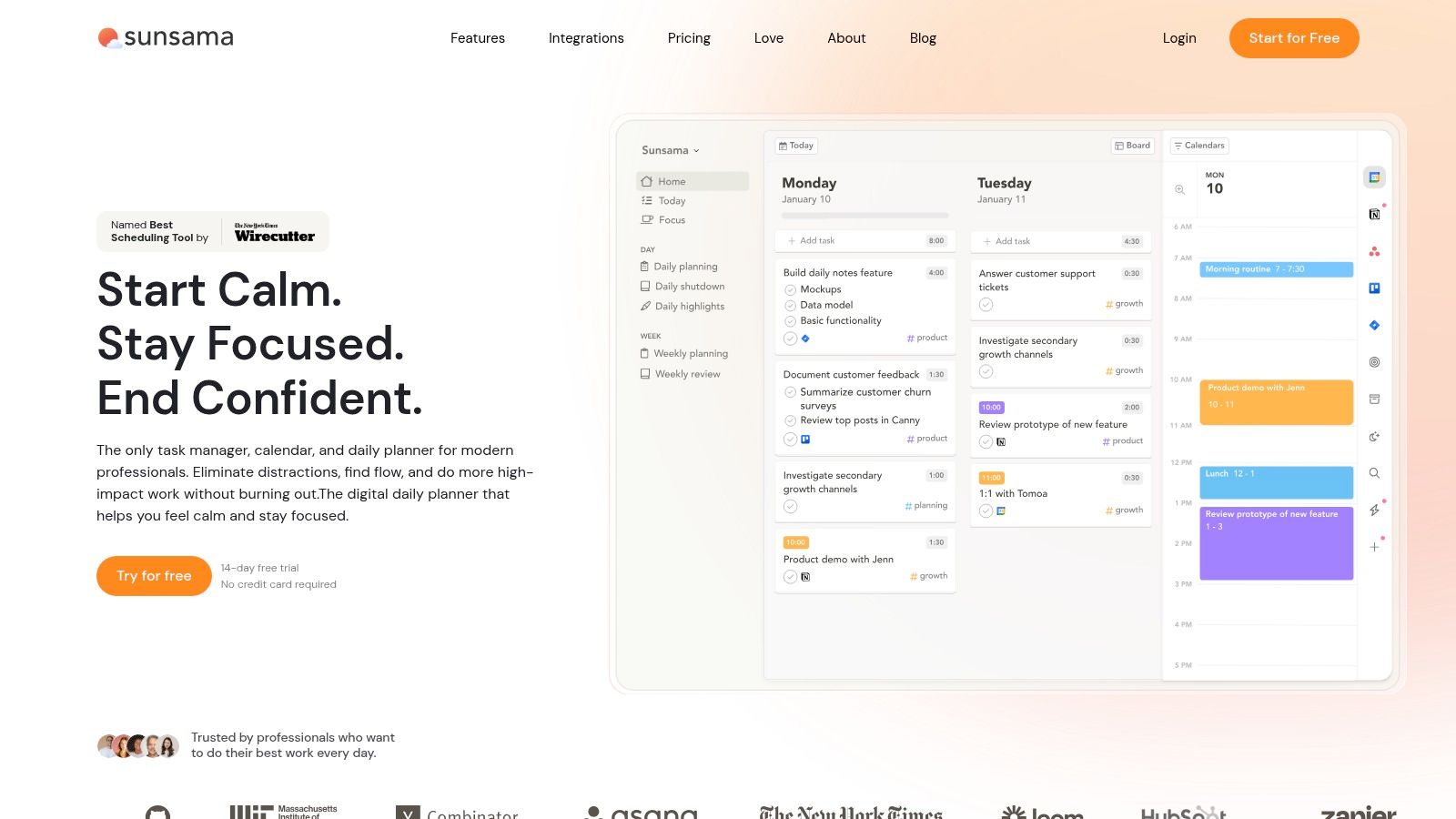
What distinguishes Sunsama is its structured daily "plan" and "shutdown" workflow. At the start of the day, the app guides you through selecting your priorities and allocating time for them, even warning you if you've overcommitted. At the end of the day, a shutdown ritual helps you review what you accomplished and prepare for tomorrow. This structured approach fosters a sustainable work habit, ensuring your calendar accurately reflects your capacity and priorities, with time blocks written directly to your connected Google or Outlook calendar.
Key Details & Pricing
- Best For: Professionals who feel overwhelmed by their workload and want a structured, mindful approach to daily planning.
- Standout Feature: Guided daily planning and shutdown rituals that promote realistic workload management and prevent over-commitment.
- Pricing: Sunsama offers a single subscription plan at $20 per month, with a discount for annual billing. While there is no permanent free tier, they provide a 14-day free trial to experience the full feature set.
Website: https://www.sunsama.com
5. Akiflow
Akiflow is built for speed, consolidating your tasks and calendar into a single, powerful command centre. It excels at helping you pull in tasks from various sources like Gmail, Slack, and Asana into a unified inbox, from which you can drag and drop them directly onto your calendar to create time blocks. This makes it one of the most efficient time blocking apps for those who need to process information from multiple platforms and quickly organise their day.
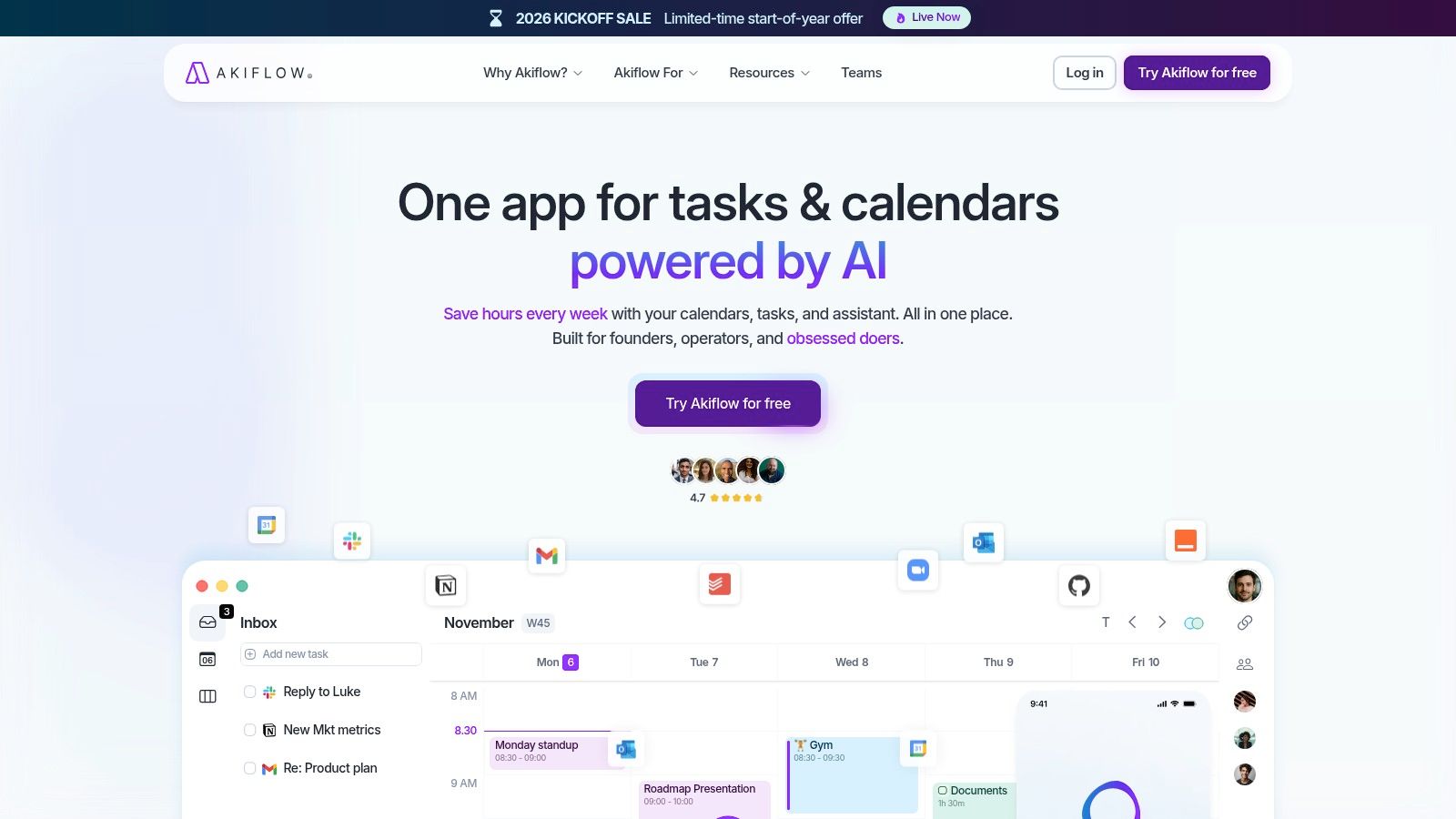
The platform is heavily geared towards power users who appreciate keyboard shortcuts and rapid navigation. Its command bar allows you to capture tasks using natural language, create events, and navigate the app without ever touching your mouse. This focus on a keyboard-first workflow allows for an incredibly fast and fluid planning process. While its mobile app is functional, the desktop experience is where Akiflow truly shines, offering a robust solution for professionals looking to centralise their commitments.
Key Details & Pricing
- Best For: Power users and professionals who manage tasks from multiple sources and want a fast, keyboard-driven way to organise their calendar.
- Standout Feature: The unified inbox that consolidates tasks from numerous integrations, combined with a powerful command bar for quick actions.
- Pricing: Akiflow offers a subscription-based model with a 7-day free trial. The premium plan starts at €12.50 per month when billed annually. While there is no permanent free tier, the trial provides ample time to evaluate its powerful workflow.
Website: https://akiflow.com
6. Morgen
Morgen is a sophisticated daily planning tool that unifies your calendars, task managers, and scheduling needs into a single, streamlined interface. Based in Switzerland, it prioritises user privacy while consolidating events from Google, Outlook, and Apple calendars. Its core strength lies in its "drag and drop" workflow, allowing you to pull tasks from various integrated tools directly onto your calendar, transforming to-do items into dedicated, focused work sessions. This makes it one of the most versatile time blocking apps for users who juggle multiple platforms.
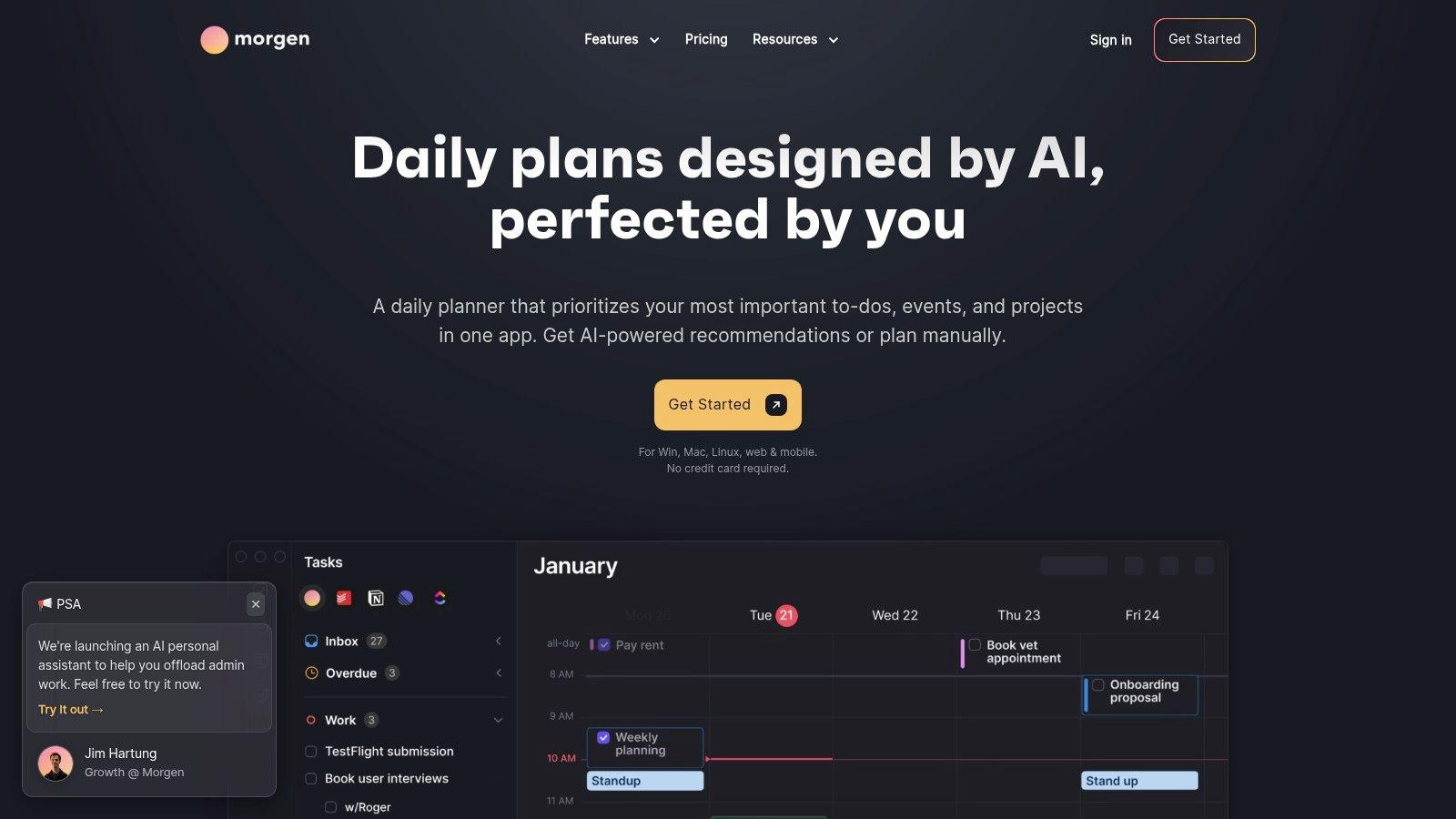
What distinguishes Morgen is its AI Planner, guided by user-defined "Frames" that act as ideal-week templates. This feature suggests an optimised schedule, helping you organise your tasks according to your preferences without full manual effort. It also offers robust calendar automations, such as syncing multiple calendars and adding travel time automatically. With native apps for macOS, Windows, Linux, and mobile, Morgen provides a consistent experience across all devices, a significant advantage for users who work on different operating systems.
Key Details & Pricing
- Best For: Professionals and teams, particularly in the EU, who need to consolidate multiple calendars and task managers into a single, privacy-conscious planning hub.
- Standout Feature: Seamless drag-and-drop task scheduling from integrated tools directly onto your calendar, combined with powerful multi-calendar consolidation.
- Pricing: Morgen offers a free Basic plan with limited features. Paid plans with advanced capabilities start at €8 per month (billed annually). Note that pricing may be subject to regional VAT.
Website: https://www.morgen.so
7. Structured
Structured offers a visually clean and approachable entry into the world of daily planning, making it a standout choice for those new to time blocking. It transforms your to-do list into a clear, linear timeline for your day, allowing you to see exactly what’s next at a glance. You simply add tasks and durations, and Structured lays them out sequentially. This simplicity makes it one of the most user-friendly time blocking apps for individuals wanting to bring order to their personal schedules without a steep learning curve.
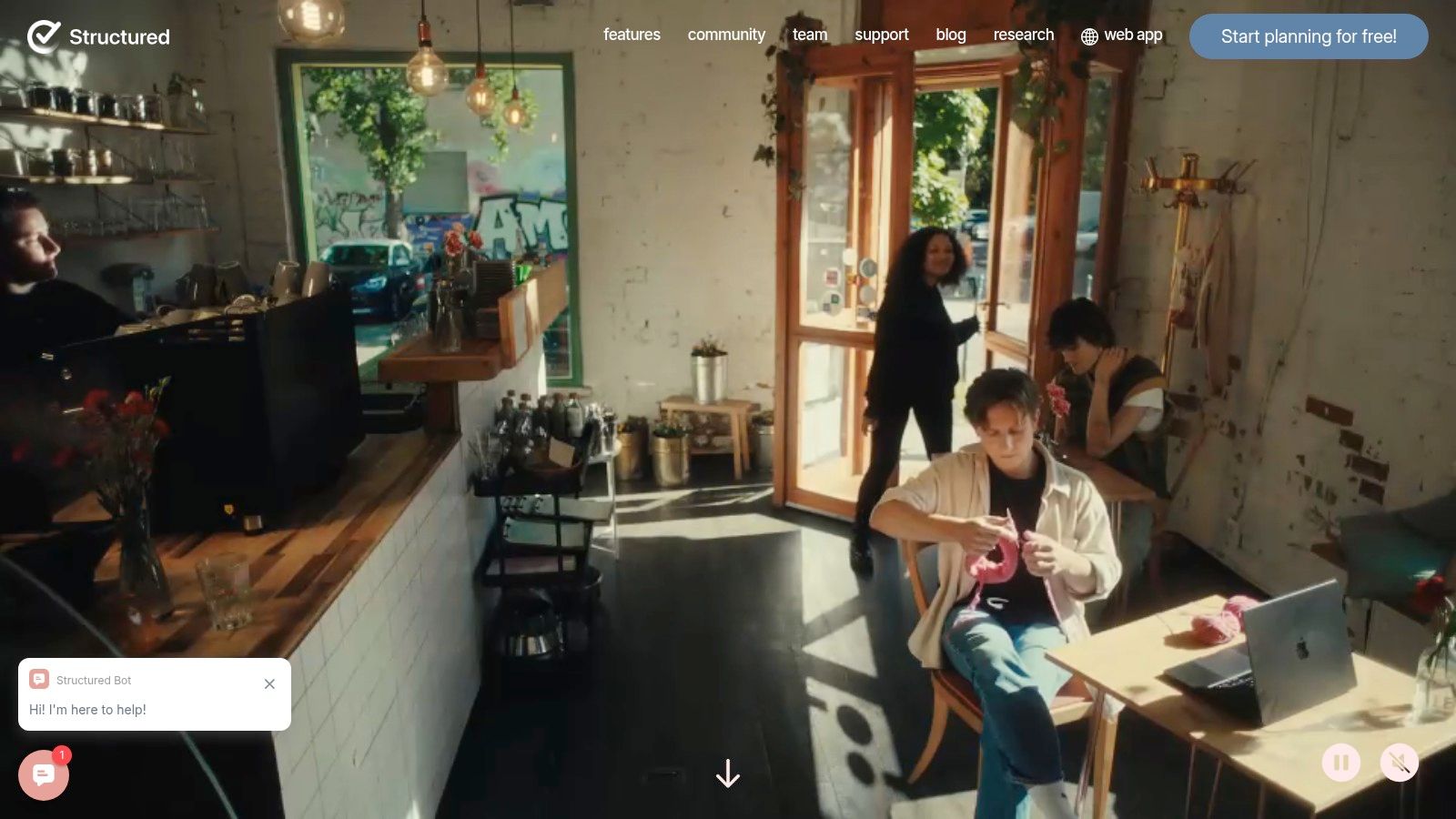
Designed primarily for the Apple ecosystem, Structured provides a seamless experience across iPhone, iPad, Mac, and even Apple Watch. Its drag-and-drop interface makes reorganising your day effortless if plans change, while integration with native iOS Calendars and Reminders pulls your existing commitments into its timeline automatically. The app also has strong localisation, including excellent support for German-speaking users, which sets it apart for that audience. While its core functionality is free, a Pro subscription unlocks more powerful features.
Key Details & Pricing
- Best For: Apple users and beginners looking for a simple, visually appealing, and intuitive way to start time blocking their personal tasks and events.
- Standout Feature: A beautiful and minimalist timeline view that turns a simple task list into a clear, chronological daily plan.
- Pricing: The core app is free to use. Structured Pro, which adds features like calendar and reminder integrations, recurring tasks, and advanced notifications, is available via a one-time purchase or subscription (around €9.99/year or a €29.99 lifetime option).
Website: https://structured.app
8. Sorted³
Sorted³ introduces the concept of "hyper-scheduling," a fluid approach to planning that merges tasks and calendar events into a single, unified timeline. Its design philosophy centres on the reality that plans change, offering tools for rapid, on-the-fly reorganisation. You can add tasks using natural language, and the app's Auto Schedule feature intelligently slots them into your day around existing appointments. This makes it one of the most agile time blocking apps for those whose schedules are constantly in flux.
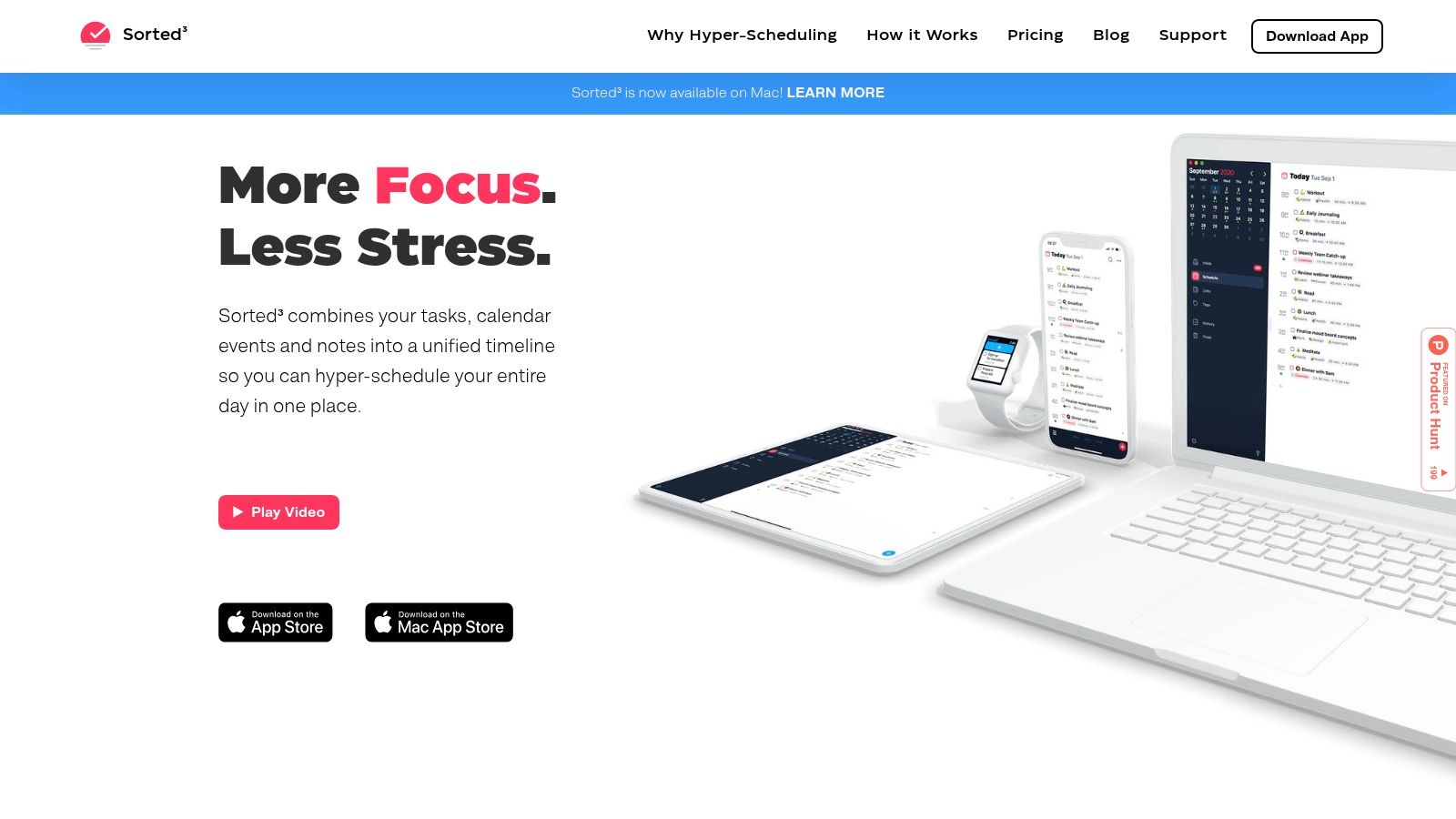
What makes Sorted³ truly stand out are its unique rescheduling tools. Features like Magic Select and the Time Ruler allow you to select multiple tasks and effortlessly shift them forward or back in your schedule, all with a simple gesture. This tactile and immediate feedback is perfect for quickly adapting your day when unexpected priorities arise, without the friction of manually editing each task's start and end time. It’s built exclusively for the Apple ecosystem, offering deep integration with iCloud for seamless syncing across devices.
Key Details & Pricing
- Best For: Apple users who need a flexible, gesture-based system for quickly reorganising their daily schedule.
- Standout Feature: Magic Select and Time Ruler for rapid, multi-task rescheduling directly on the timeline.
- Pricing: Sorted³ offers a free version with basic features. A one-time payment unlocks PRO features. Note that the iOS and macOS PRO unlocks are sold separately or as a discounted bundle, providing a welcome alternative to recurring subscriptions.
If you are invested in the Apple ecosystem, you can explore other great tools in our roundup of the best task managers for Mac.
Website: https://www.sortedapp.com
9. Fantastical (Flexibits Premium)
Fantastical is a beautifully designed calendar application that excels at bringing your schedule and tasks together for manual time blocking. It integrates with native reminders and other task managers like Todoist, allowing you to view your to-do list alongside your calendar. This side-by-side view is perfect for dragging tasks directly into open calendar slots, creating a clear, organised plan for your day. Its polished user interface makes it one of the most visually appealing time blocking apps for Apple and Windows users.
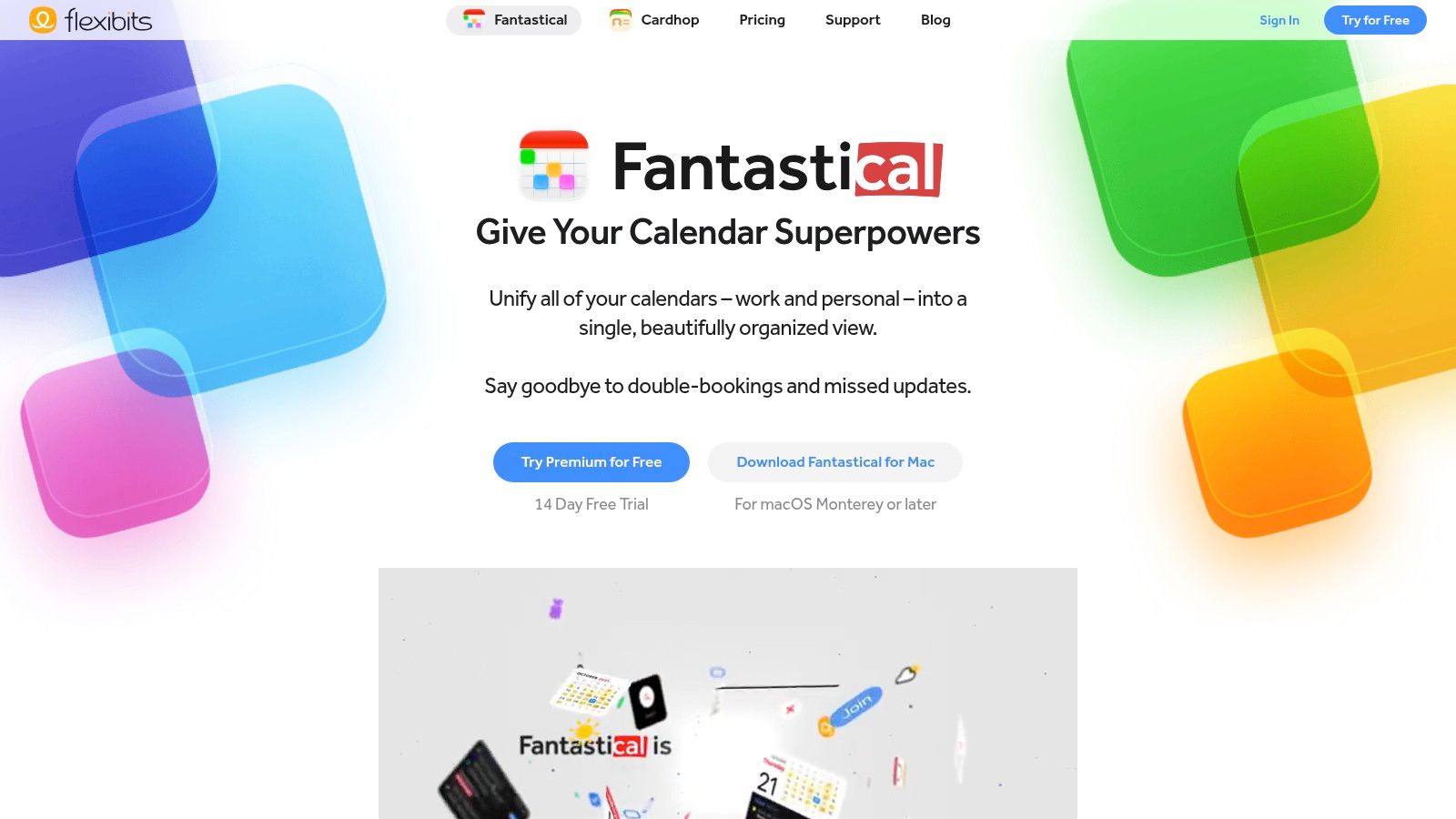
What makes Fantastical a powerful choice is its collection of premium features designed for efficiency. Its "Openings" feature lets you share scheduling links to eliminate back-and-forth emails, while "Proposals" allows you to suggest multiple meeting times. The app also intelligently adds travel time blocks for appointments with physical locations, ensuring your schedule remains realistic. The presentation and design are clearly a priority for the developers; when reviewing premium applications like this, it's worth considering the strategic effort behind their app store presence, including the creation of high-converting iOS app screenshots.
Key Details & Pricing
- Best For: Individuals and professionals who appreciate a premium user experience and want a powerful, all-in-one calendar and task management system for manual time blocking.
- Standout Feature: Seamless integration of tasks (from Apple Reminders, Todoist, etc.) into the calendar view, enabling intuitive drag-and-drop time blocking.
- Pricing: Fantastical offers a limited free version. The full suite of features, including Openings and Proposals, requires a Flexibits Premium subscription, starting at approximately €5.49/month (billed annually).
Website: https://flexibits.com/fantastical
10. TickTick
TickTick is a powerful to-do list application that evolves into a comprehensive planning tool with its integrated calendar functionalities. It cleverly merges task management with scheduling, allowing users to drag tasks directly into a calendar view to create time blocks. This makes it an intuitive choice for those who want a single app to manage both their tasks and their time, streamlining the entire planning process from conception to execution. The inclusion of a built-in Pomodoro timer and habit tracker further enhances its utility as an all-in-one productivity hub.
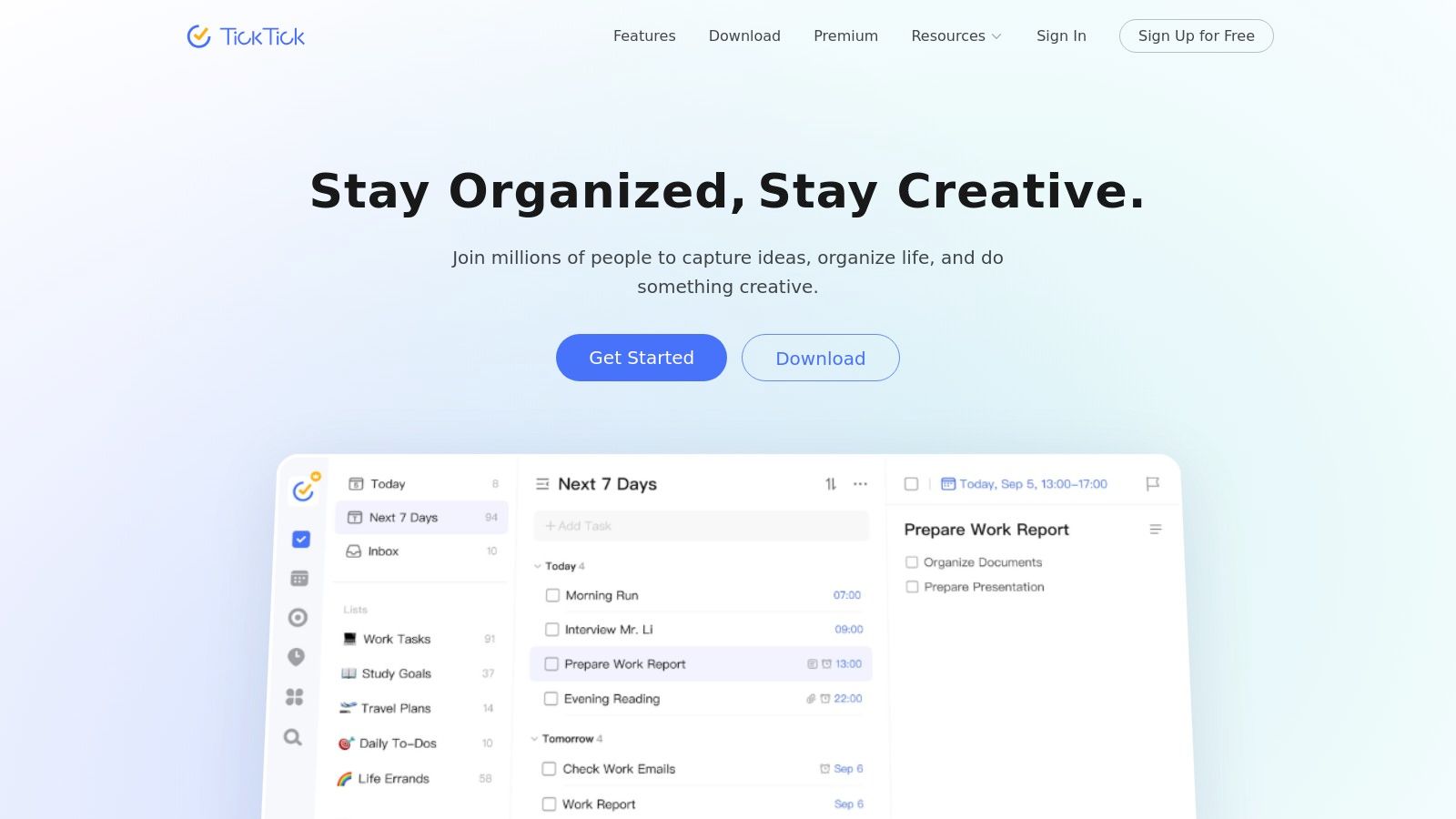
What makes TickTick a strong contender is its versatility and cross-platform availability, with seamless sync across web, desktop, and mobile devices. While the core to-do list features are free, its full potential as one of the best time blocking apps is unlocked with the Premium subscription, which provides access to calendar grid and timeline views. These views are essential for visualising your week and allocating specific time slots for deep work, making it a fantastic and affordable option for structured planning.
Key Details & Pricing
- Best For: Individuals seeking an all-in-one task manager and calendar with built-in productivity tools like Pomodoro and habit tracking.
- Standout Feature: Seamless integration of task lists with a drag-and-drop calendar view, combining task management and time blocking in one interface.
- Pricing: A robust free version is available. TickTick Premium, which unlocks calendar views and other advanced features, is very affordable, starting at $27.99 per year. Be aware that purchases via the website may incur foreign transaction fees for some banks; using the app store for purchase can often avoid this.
For those on macOS looking for similar integrated solutions, you can explore more options in our guide to the best calendar apps for Mac.
Website: https://www.ticktick.com
11. TimeBloc
TimeBloc offers a beautifully simple, mobile-first approach to daily planning, making it one of the most focused time blocking apps for individuals. Instead of bundling complex project management tools, it centres its experience entirely on the practice of assigning a specific task to every part of your day. Its clean, timeline-based interface allows you to visually map out your schedule with intuitive drag-and-drop controls, making the process of creating a structured day remarkably fast and frictionless.
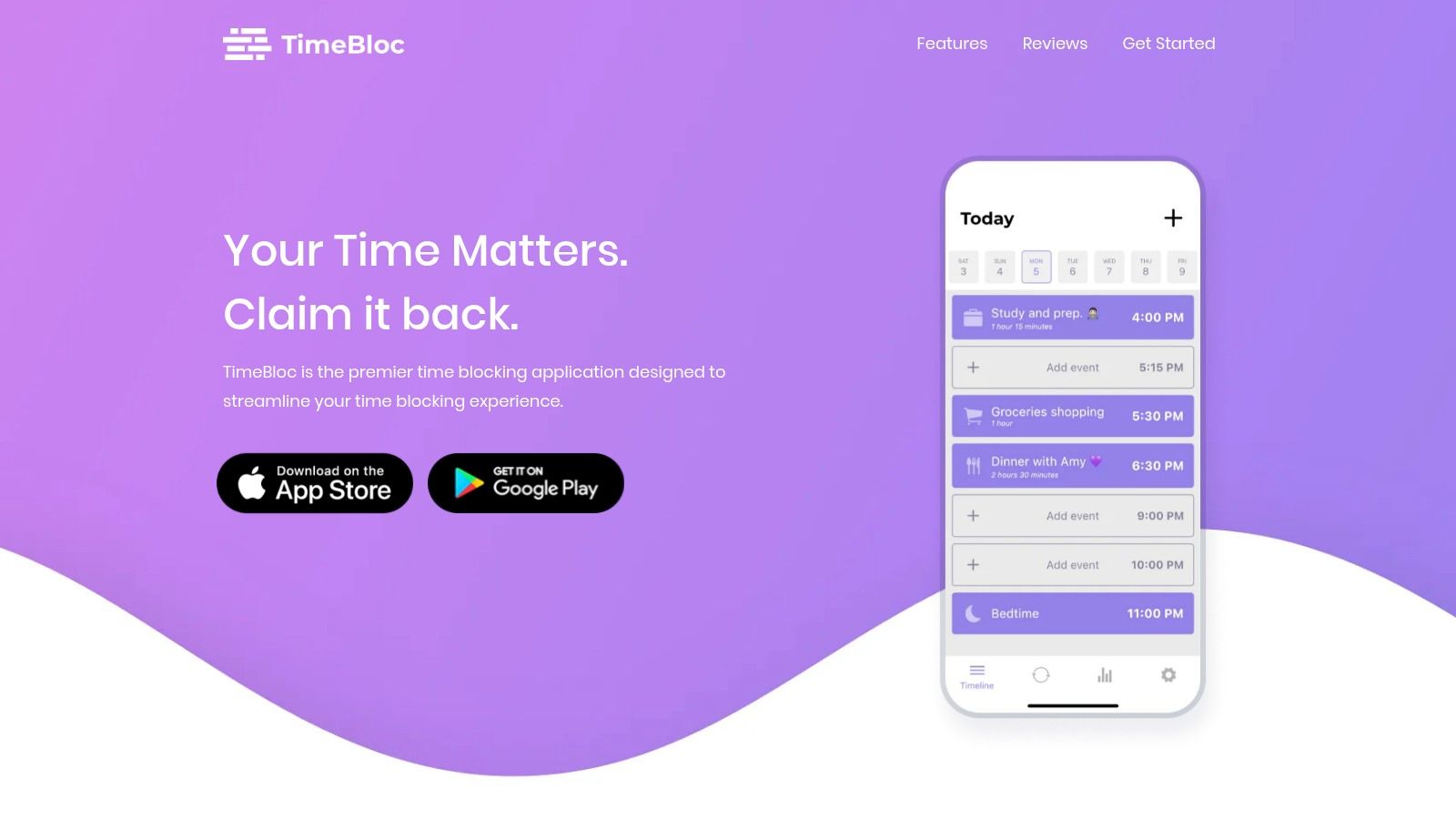
What makes TimeBloc stand out is its emphasis on routines and habits. You can create reusable routine templates, such as a "Morning Routine" or "Evening Wind-Down," and insert them into your timeline with a single tap. This feature is ideal for building consistency and ensuring that recurring personal or professional habits are always accounted for in your daily plan. While it integrates with your primary calendar to pull in appointments, its core strength lies in helping you deliberately structure the time around those fixed events, rather than managing the events themselves.
Key Details & Pricing
- Best For: Individuals who want a dedicated, lightweight mobile app for pure time blocking and routine building, without project management overhead.
- Standout Feature: Reusable routine templates that allow you to instantly add blocks of pre-planned activities to your daily schedule.
- Pricing: TimeBloc offers a free version with core functionality. The Premium plan, which unlocks advanced features like calendar integration and statistics, is available with a one-time purchase, making it a budget-friendly option.
Website: https://timebloc.app
12. Setapp
Setapp offers a different approach to acquiring productivity tools by providing a curated subscription service for Mac and iOS apps. Instead of purchasing software individually, you get access to a large catalogue of applications, including several powerful calendar and task management tools that can be used as time blocking apps. This model allows users to experiment with different applications like 2Do, BusyCal, or Pagico without committing to separate purchases, making it a cost-effective solution for finding the perfect planning workflow.
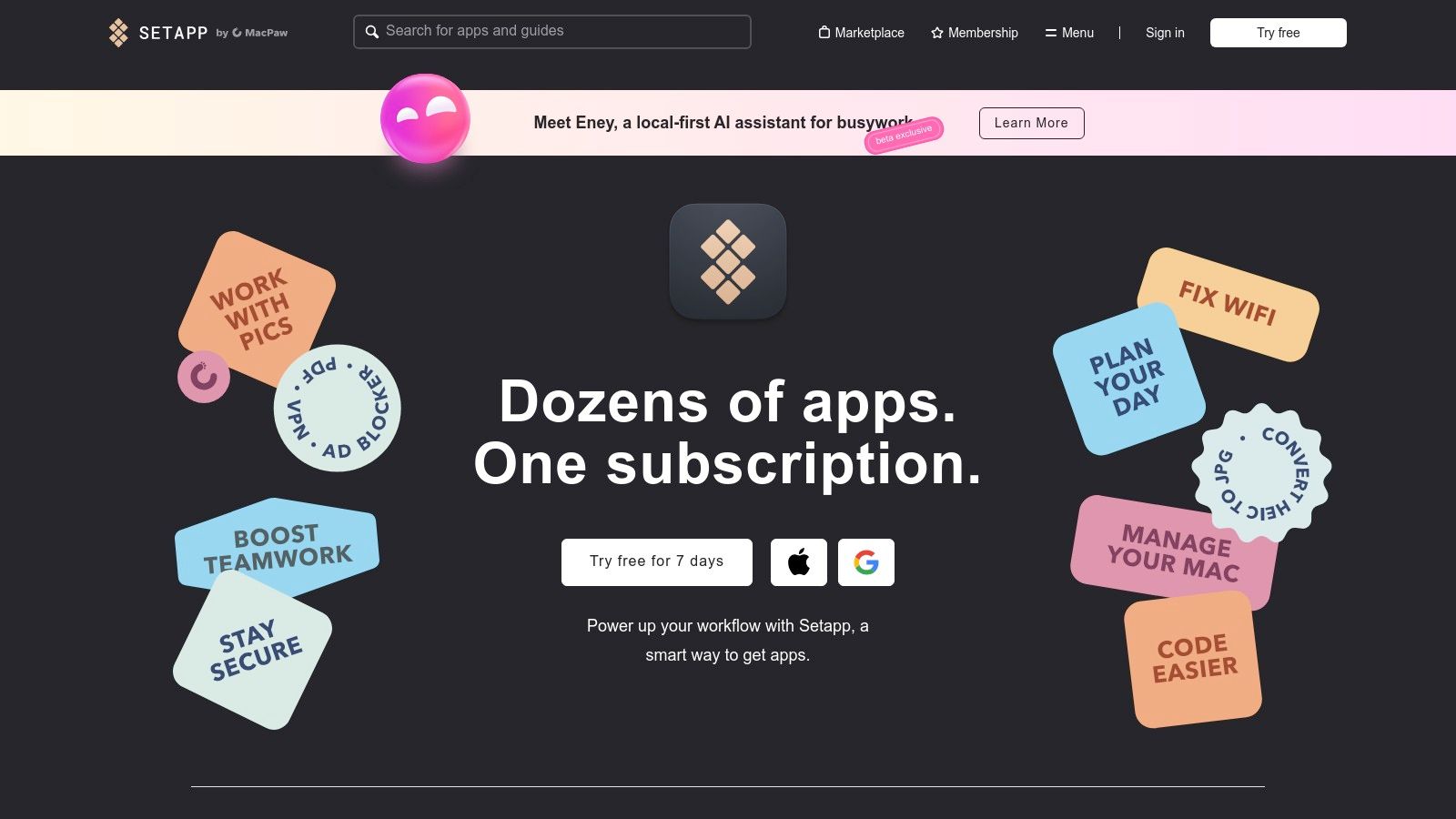
What makes Setapp particularly relevant, especially for users in Germany and the EU, is the introduction of Setapp Mobile. This alternative iOS marketplace allows iPhone users to access a suite of premium apps under the same subscription, a significant development following new EU regulations. This means you can centralise your app subscriptions and enjoy a consistent, ad-free experience across your devices. The value lies in its simplicity and the breadth of high-quality, specialised tools available for a single monthly fee.
Key Details & Pricing
- Best For: Mac and iOS users, particularly in the EU, who use multiple premium apps and want to simplify billing and discover new productivity tools.
- Standout Feature: A single subscription provides access to a large, curated library of premium Mac and iOS applications, including various planning and calendar tools.
- Pricing: Setapp offers various plans, starting at $9.99 per month for one Mac. The 'Mac + iOS' plan is $12.49 per month, and a 7-day free trial is available. Setapp Mobile requires an EU Apple ID and iOS 17.4 or later.
Website: https://setapp.com
Top 12 Time-Blocking Apps Comparison
| Product | Core features | Quality ★ | Price & value 💰 | Target 👥 | Standout ✨ |
|---|---|---|---|---|---|
| 🏆 Calendar0 | Menubar AI calendar; NL scheduling; cross‑account sync; drag/drop; keyboard shortcuts | ★★★★☆ | 💰 Free starter; Lifetime $49 or $4.99/mo; 14‑day refund | 👥 Busy professionals, EAs, founders, freelancers | ✨ Instant NL invites, privacy‑first OAuth2 + local encryption |
| Motion | AI auto‑schedules tasks + meetings; continuous re‑optimization; cross‑platform | ★★★★☆ | 💰 Subscription; team tiers (higher cost) | 👥 Individuals & teams needing heavy automation | ✨ Continuous time‑blocking & auto‑reschedule |
| Reclaim | Auto‑blocks tasks/habits/focus time; multi‑calendar sync; analytics | ★★★★ | 💰 Free plan; paid tiers for advanced features | 👥 Professionals who need “defend my calendar” | ✨ Set‑and‑forget focus/habit blocking + analytics |
| Sunsama | Daily planning ritual; drag‑and‑drop timeboxing; workload warnings | ★★★★ | 💰 Subscription; trial available (no permanent free) | 👥 Intentional planners seeking daily routine | ✨ Calming, ritualized daily planning workflow |
| Akiflow | Tasks + calendar; command palette; keyboard‑first; rich integrations | ★★★★ | 💰 Paid plans (no permanent free); trial; annual discount | 👥 Power users who prefer keyboard workflows | ✨ Fast command palette + unified inbox |
| Morgen | AI Planner with "Frames"; drag tasks to calendar; strong EU privacy | ★★★★ | 💰 Subscription; regional VAT/promos | 👥 EU users, multi‑calendar consolidators, Linux users | ✨ EU‑friendly privacy posture & wide platform support |
| Structured | Visual timeline day planner; deep Apple ecosystem support | ★★★★ | 💰 Free core; Pro IAP for advanced features | 👥 Personal time‑blockers on iOS/macOS | ✨ Clean, approachable UI; Apple Watch + Vision support |
| Sorted³ | Hyper‑scheduling timeline; Magic Select & Time Ruler; auto‑schedule | ★★★★ | 💰 One‑time PRO unlock option (no subscription) | 👥 Apple power planners who replan frequently | ✨ Rapid on‑the‑fly rescheduling; one‑time purchase |
| Fantastical (Flexibits) | Full calendar views; tasks + Openings; travel time & sets | ★★★★ | 💰 Free tier; Premium subscription for full power | 👥 Users wanting polished calendar power across devices | ✨ Deep calendar features + scheduling links |
| TickTick | Tasks + calendar grid/timeline; Pomodoro; cross‑platform | ★★★★ | 💰 Free + Premium for timeline/grid views | 👥 Task managers who want integrated calendar & Pomodoro | ✨ Pomodoro + strong localization/value |
| TimeBloc | Mobile timeline planning; reusable routines; notifications | ★★★★ | 💰 Budget‑friendly Premium; mobile‑first | 👥 Mobile users focused on routines & habits | ✨ Low‑friction routines & timeline UI |
| Setapp | Curated Mac/iOS app catalog; Setapp Mobile (EU) marketplace | ★★★★ | 💰 Subscription for many apps; 7‑day trial | 👥 macOS/iOS users who use multiple productivity apps | ✨ Cost‑effective bundle + EU iOS marketplace |
Choosing Your Perfect Time Blocking Partner
We've explored a comprehensive landscape of the best time blocking apps available today, from powerful AI-driven schedulers like Calendar0 and Motion to mindful, task-focused organisers like Sunsama and Akiflow. The journey through these twelve distinct tools reveals a clear truth: there is no single "best" app for everyone. The ideal solution is deeply personal, hinging on your unique workflow, professional demands, and even your philosophical approach to productivity.
The core takeaway is that moving from a reactive, to-do list-driven day to a proactive, time-blocked schedule is a fundamental shift in how you manage your most valuable resource: your time. This transition requires more than just downloading a new piece of software; it necessitates a commitment to intentional planning. The right application, however, acts as a powerful catalyst, removing friction and making that commitment significantly easier to maintain.
Synthesising Your Options: A Practical Guide
As you reflect on the options presented, from the minimalist mobile-first approach of Structured to the all-encompassing ecosystem of Setapp, the decision-making process can feel overwhelming. To simplify your choice, consider these critical factors that emerged from our analysis:
- Automation vs. Manual Control: Do you crave an intelligent assistant that automatically organises your tasks and defends your focus time, like Reclaim or Motion? Or do you prefer a more hands-on, manual approach where you deliberately place each block, as offered by Sunsama or TickTick? Your answer to this question will dramatically narrow your choices.
- Calendar at the Centre: For many busy professionals, especially those in our target audience, the calendar is the source of truth. Apps like Calendar0 and Fantastical are built with this principle at their core, enhancing your existing calendar rather than trying to replace it. This deep integration is crucial for avoiding scheduling conflicts and maintaining a single, unified view of your commitments.
- Task Management Integration: How do you currently manage your tasks? If you rely on a complex system in Asana, Jira, or Todoist, an aggregator like Akiflow or Morgen might be your best fit. If you prefer a more self-contained system, apps like Sorted³ or Sunsama provide robust, built-in task management capabilities.
- Privacy and Data Ownership: A crucial, often-overlooked factor is how these applications handle your data. With access to your calendars, emails, and task lists, these tools hold a significant amount of sensitive information. Always review the privacy policy of any tool you consider, especially noting where your data is stored and who has access to it. Calendar0, for instance, prioritises this by processing all data locally on your device, offering a significant advantage for privacy-conscious users and organisations.
Your Next Steps to Intentional Productivity
Choosing the right tool is the first step. Successfully implementing it is the next. We recommend a phased approach to adopting one of these time blocking apps. Start by dedicating just one or two days a week to rigorously planning your schedule using your chosen app. Use the trial periods offered by most of these services to their full potential. Test the core functionalities that matter most to you, whether it's the AI rescheduling, the meeting booking links, or the mobile experience.
Observe how the tool influences your behaviour. Does it reduce decision fatigue? Does it help you create and protect deep work sessions? Are you ending your days feeling more accomplished and less frazzled? The goal isn't just to have a prettier calendar; it's to achieve a tangible improvement in your focus, output, and overall work-life balance. By thoughtfully selecting a digital partner that aligns with your specific needs, you can transform your relationship with time and unlock a new level of intentional, focused productivity.
Ready to take control of your schedule without compromising your data? Calendar0 offers a powerful, privacy-first approach to time blocking and calendar management, designed specifically for busy professionals who need to visualise, coordinate, and protect their time. See how a truly integrated and secure calendar assistant can revolutionise your workflow by visiting Calendar0 to get started.

